
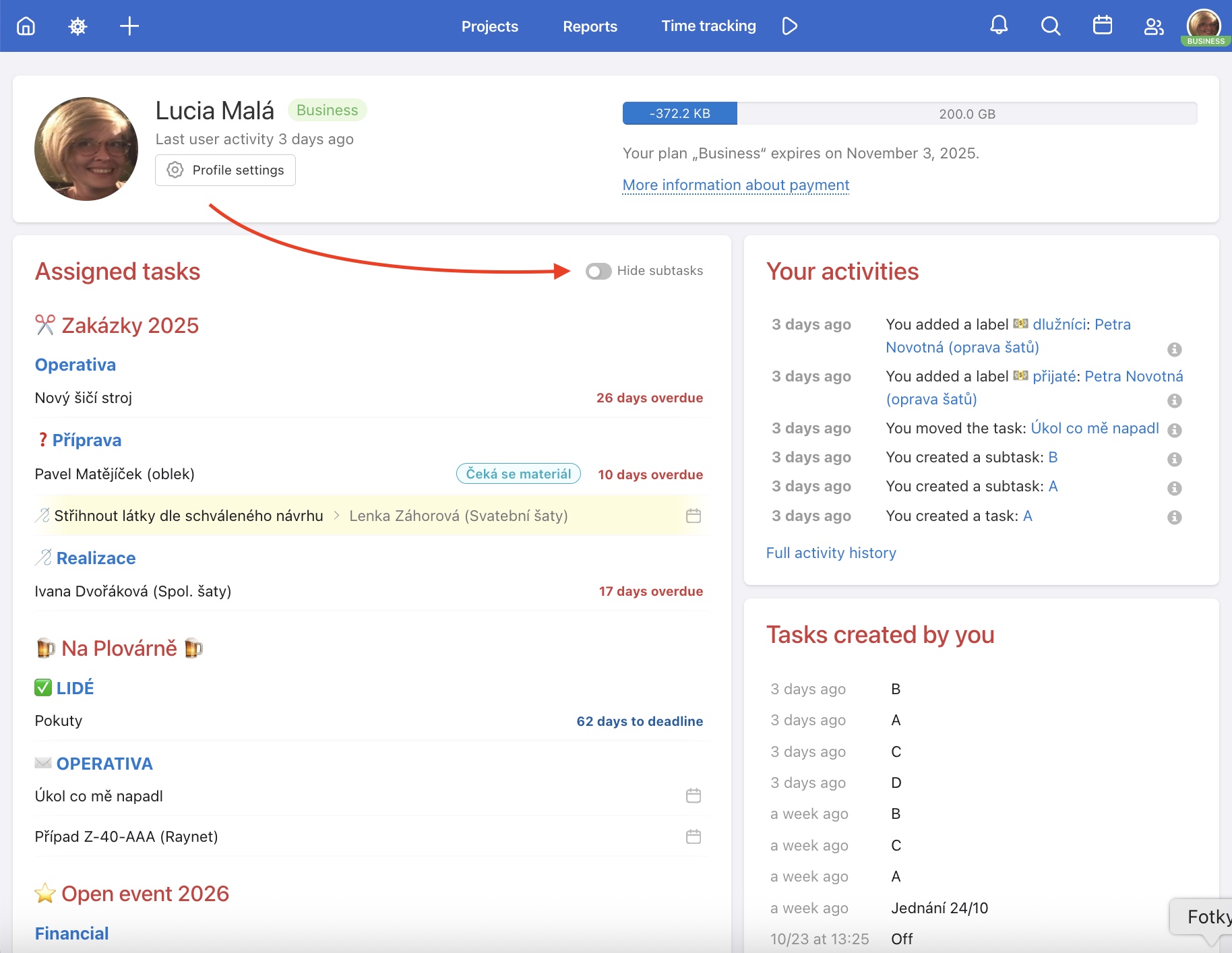
Your profile is a page where you can find everything that matters to you. It comes in handy whenever you need a quick overview of what's on your plate – without browsing through individual projects. All your assigned tasks and activities are in one place.
- Data and account status information
- Recent activities
- Assigned sub/tasks
- Created sub/tasks
- Completed sub/tasks
- Uploaded files
- Followed tasks and To-Do lists
You can access your profile via your avatar in the top right corner – select Profile from the menu. Alternatively, go to Users in the blue top bar and click on (Me) your name or on another user's name.
Subtasks in the Assigned tasks section are highlighted in yellow for better orientation. If you only care about tasks, you can hide subtasks by activating the Hide subtasks toggle. Example: you have a project with dozens of subtasks assigned directly to you. By activating Hide subtasks you'll see only the parent tasks and can more easily estimate your actual workload.
Another user's profile
Viewing another user's profile comes in handy when:
- you're taking over work from a colleague and want to see what they have assigned
- you manage a team and want to quickly check someone's workload
- you're working with an external client and want to see what they're following or what has been assigned to them
In the top blue bar, click on Users and select a specific colleague or client. You will see their profile with activities and tasks on your shared projects.
How to change the language of the App
You can use Freelo in several languages. To switch, scroll to the very bottom of any page and select your language in the bottom right corner. Freelo will then redirect you to the Dashboard in the selected language. If you use Freelo on multiple devices, you need to set the language on each device separately. Each user can set it according to their own preferences.
