
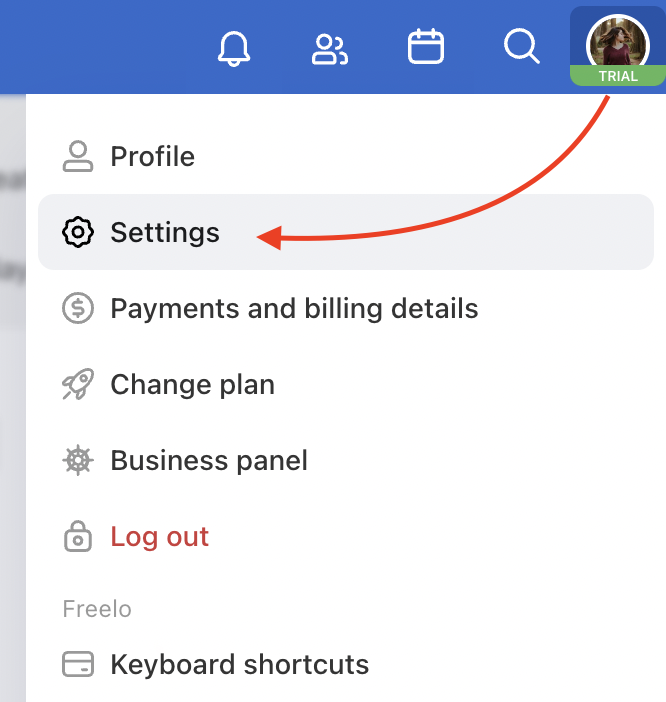
Change your account password in the Security and Login section. Click on your avatar in the upper right corner and go to Settings > Security and Login.
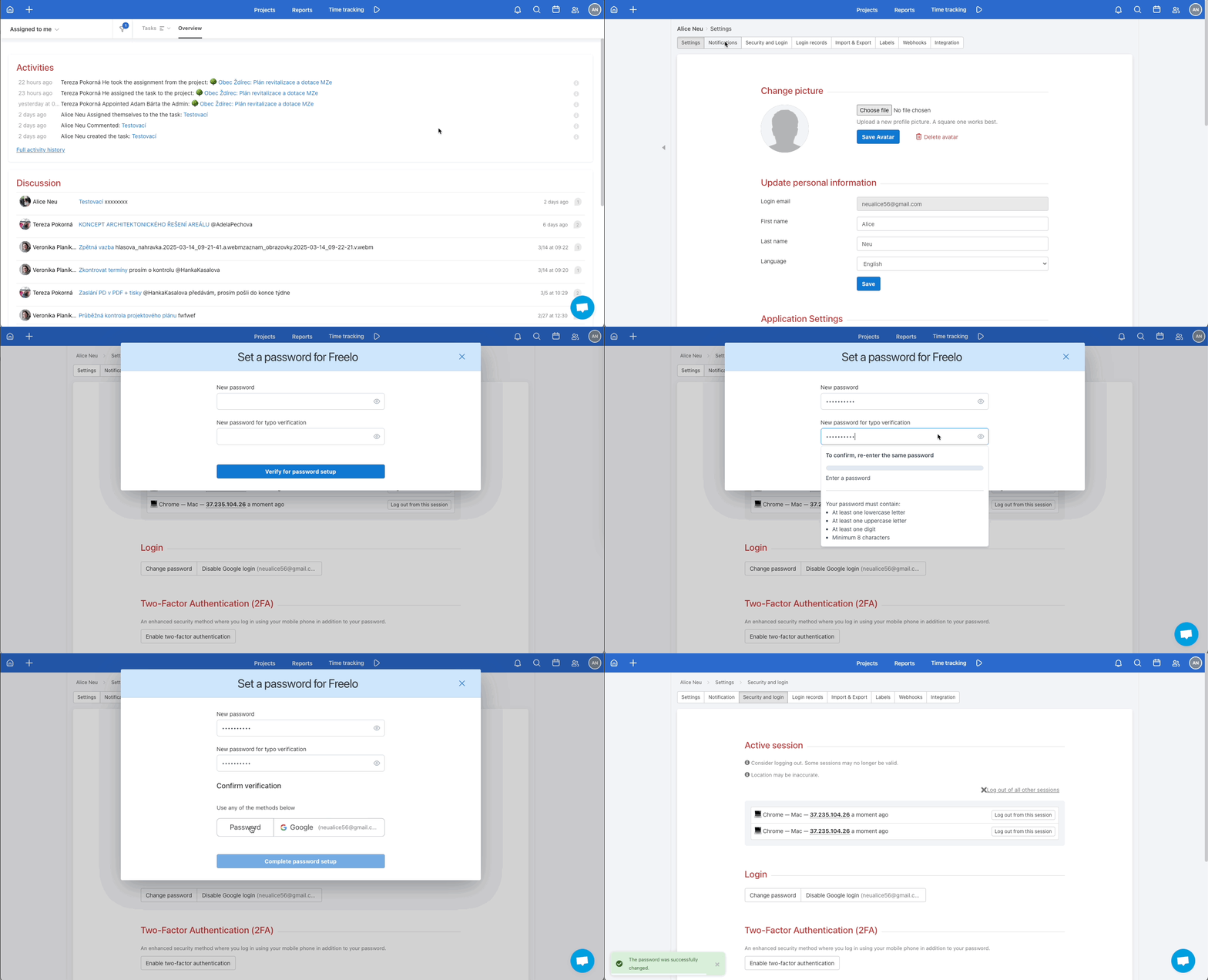
Below you will find the Login > Change password section.
Enter your new password and retype it in the second field to avoid typos. Click Verify for password setup to save.
Then enter your original password to confirm.
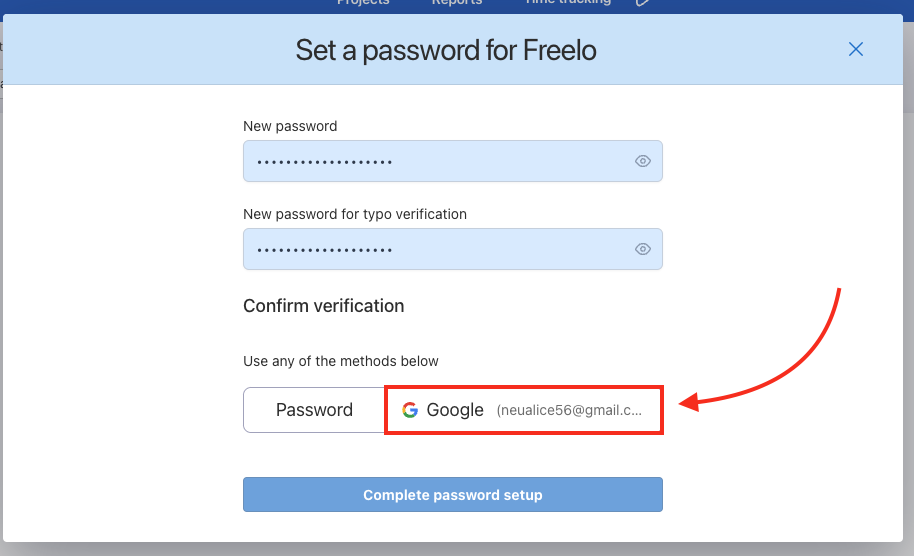
You can also verify your identity using the Google button.
If you don't remember your current password, use the forgotten password recovery feature.
Practical use cases
- Regular security hygiene – we recommend changing your password regularly or whenever you suspect your login credentials may have been compromised.
- Shared login credentials – if you previously shared your login details with someone else, change your password immediately.
- Sign in with Google – don't want to manage a password? Verify with the Google button and you won't need a separate Freelo password.
- Forgotten password – can't remember your current password? Reset it directly from the login page using the forgotten password recovery feature.
Last updated: