
Are you sure you want to cancel your account? It makes us sad to hear that.
If something is missing or bothering you in Freelo, please contact us. We’ll do our best to find a solution.
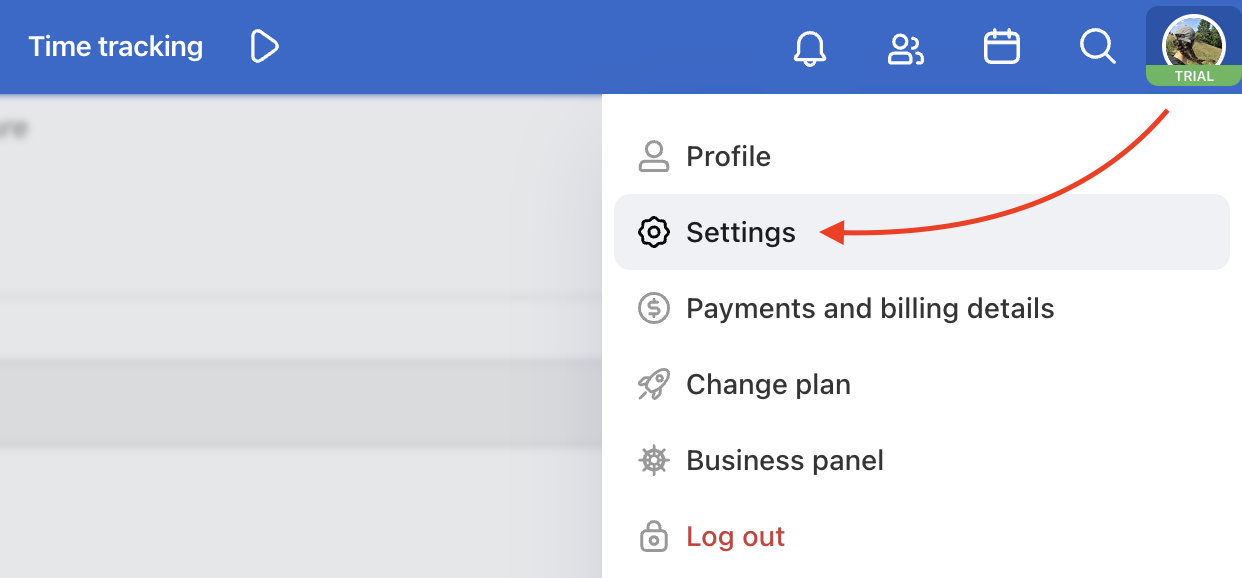
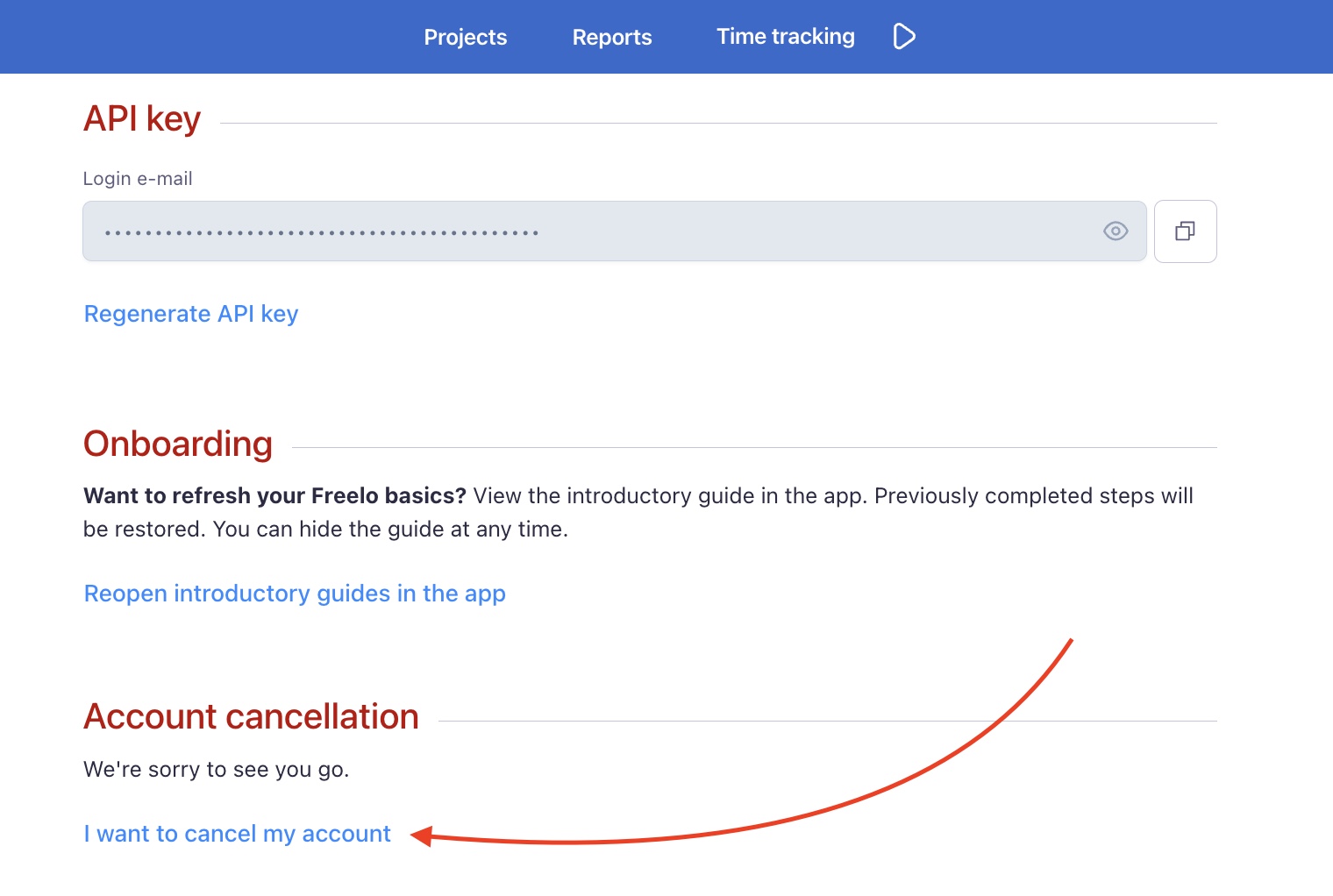
If you’ve already made your decision, go to Settings and click I want to cancel my account at the bottom of the page, or click here.
We won't delete your data straightaway. All your details will stay there for another 60 days, just in case you change your mind.
Practical use cases
- Not sure yet? – before cancelling, try writing to us at info@freelo.io. We may be able to find a solution that works better for you.
- Your data stays for 60 days – even after cancellation you have 60 days to change your mind. Just log back in and your account will be restored.
- Just want to downgrade? – if the Free plan is enough for you, there is no need to cancel your account. Simply cancel your paid subscription in the Payments section.
- Feedback for us – when cancelling, let us know what was missing or what did not work for you. It helps us improve Freelo for everyone.
Last updated: