
Want to keep track of all tasks in a To-Do list without watching them one by one? Following an entire To-Do list lets you set yourself or a colleague as a follower in bulk – for both new and existing tasks at once.
You don't need to click the follower settings one by one for specific tasks. You can also set them in bulk.
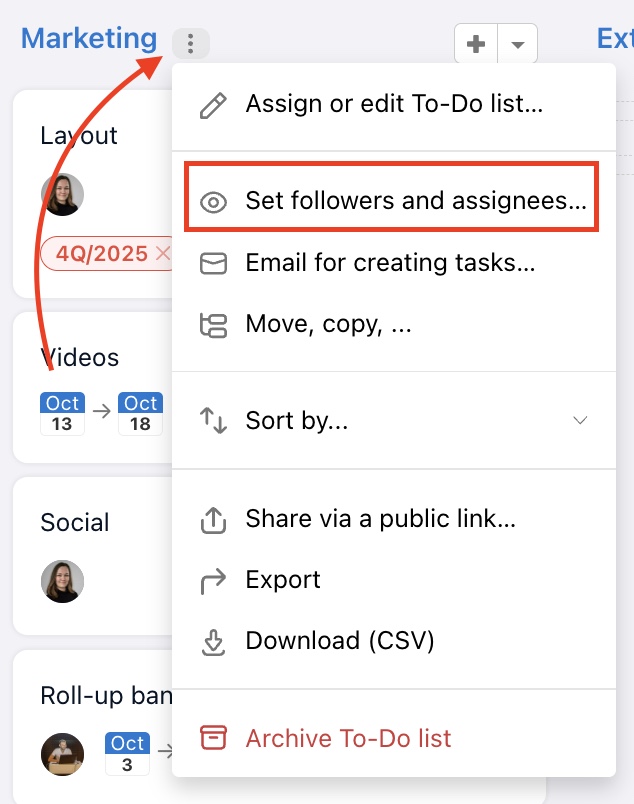
Setting up a follower for new tasks
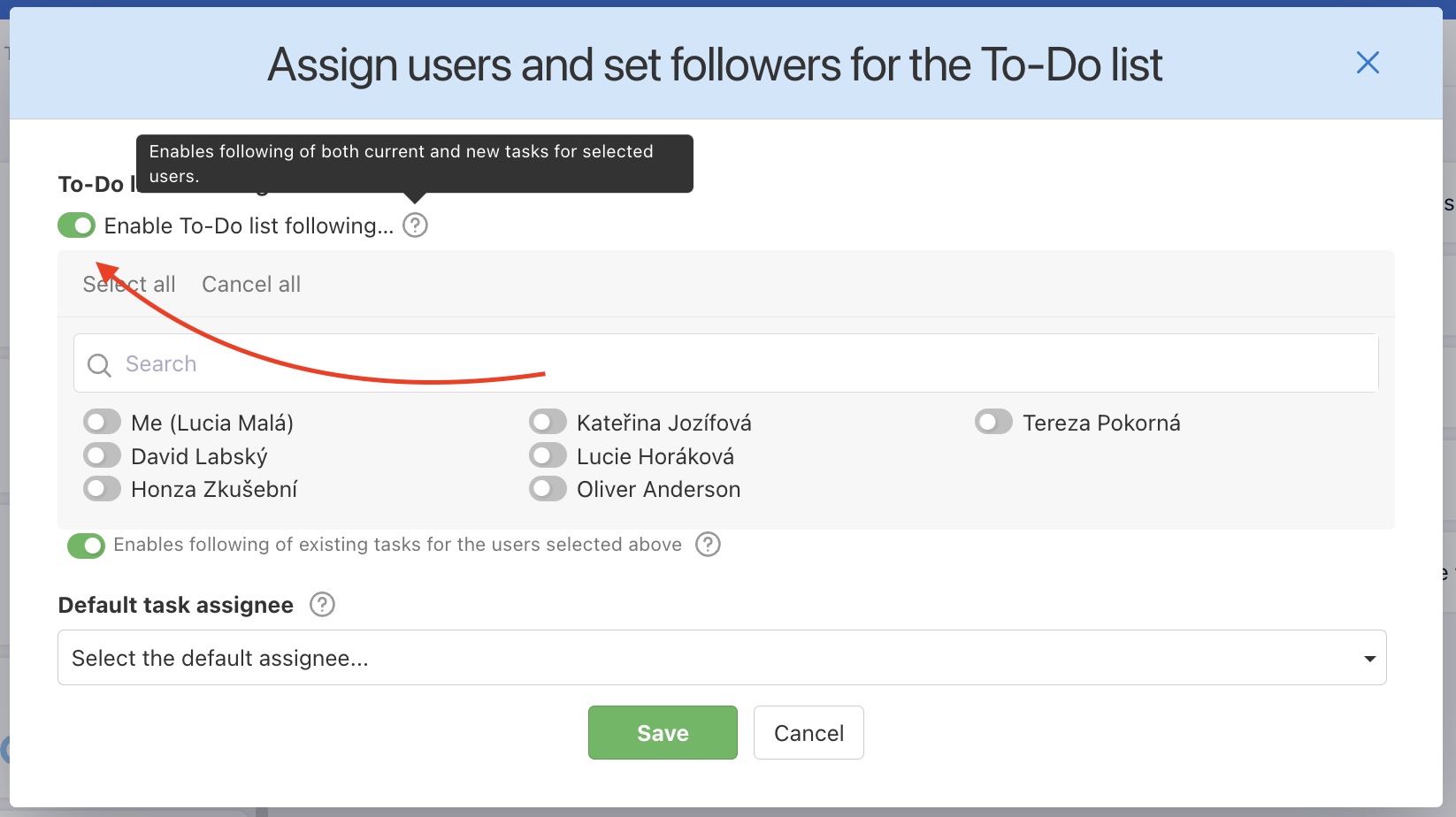
The first way to set up To-Do list following in bulk is by assigning a default follower for new tasks in a specific To-Do list. If you enable tracking for a user via the Enable To-Do list following... , that user will automatically be added as a follower to all new tasks created in that To-Do list.
Setting up a follower for current tasks
When you set up To-Do list following for a specific user, that user becomes the follower for all tasks in that To-Do list.
The feature always turns on or off tracking for the current tasks in the To-Do list for the users you have just added or removed from tracking.
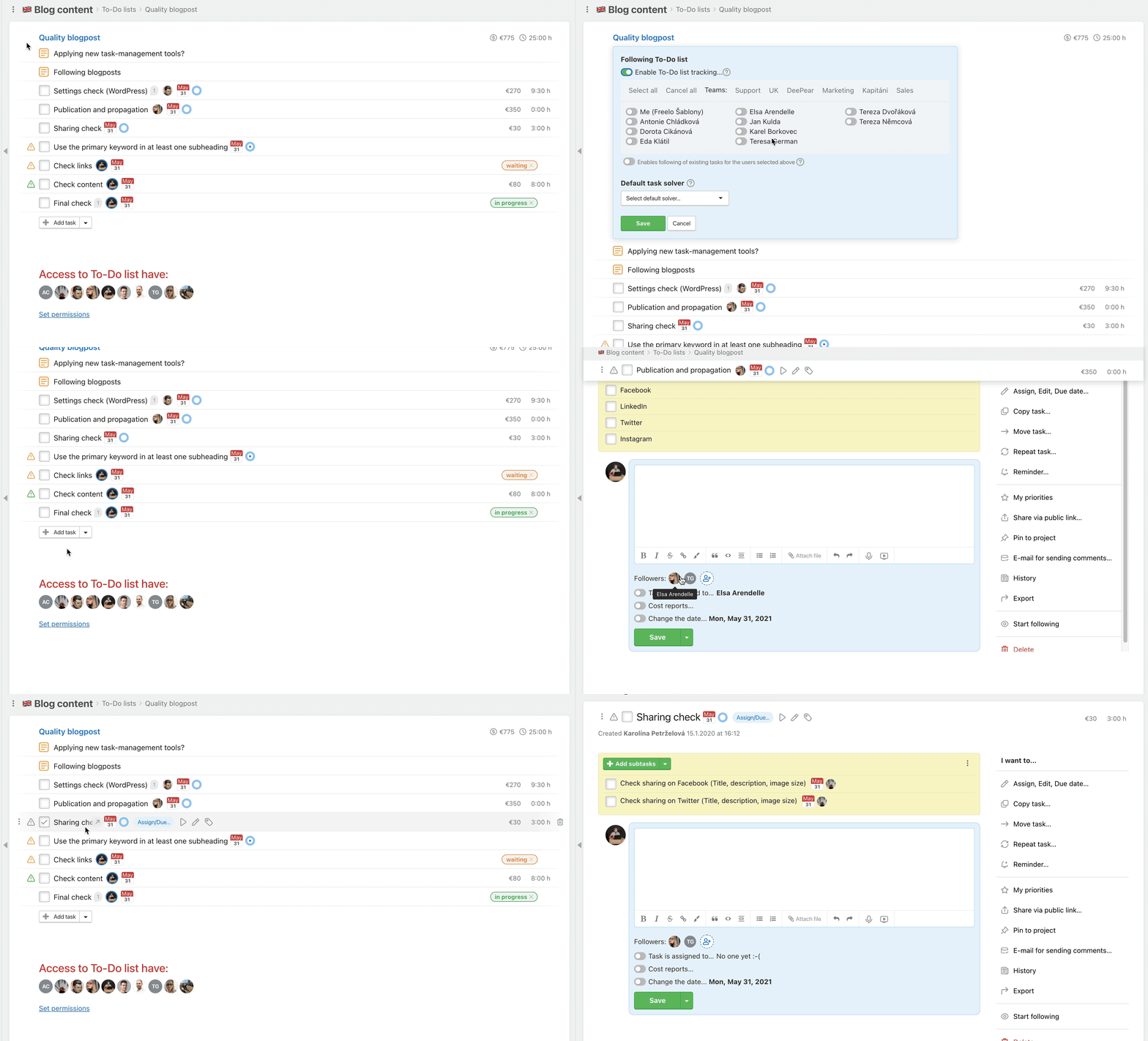
Following can be canceled the same way as adjusted.
You can also set a user to be assigned by default for the To-Do list.
Unfollow the whole To-Do list
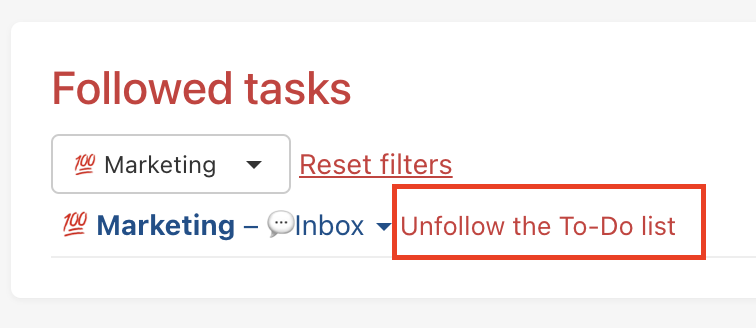
Want to stop following all tasks in a To-Do list? Go to your profile > Followed tasks > find and hover over the To-Do list > unfollow by clicking Unfollow the To-Do list.
Practical use
- Onboarding a new colleague – set them as a follower of the whole To-Do list so they automatically receive notifications about all new tasks from day one
- Project manager overview – a manager sets up following for the entire To-Do list and stays on top of everything happening in that phase
- Client as a follower – set up To-Do list following for a client so they receive progress notifications without having to actively log into Freelo
- Handing over responsibilities – remove a departing colleague's following in bulk via their profile, without going through each task individually