
Click on your avatar in the upper right corner and select Settings. In the upper part you can change your personal information.
What you can change in Settings
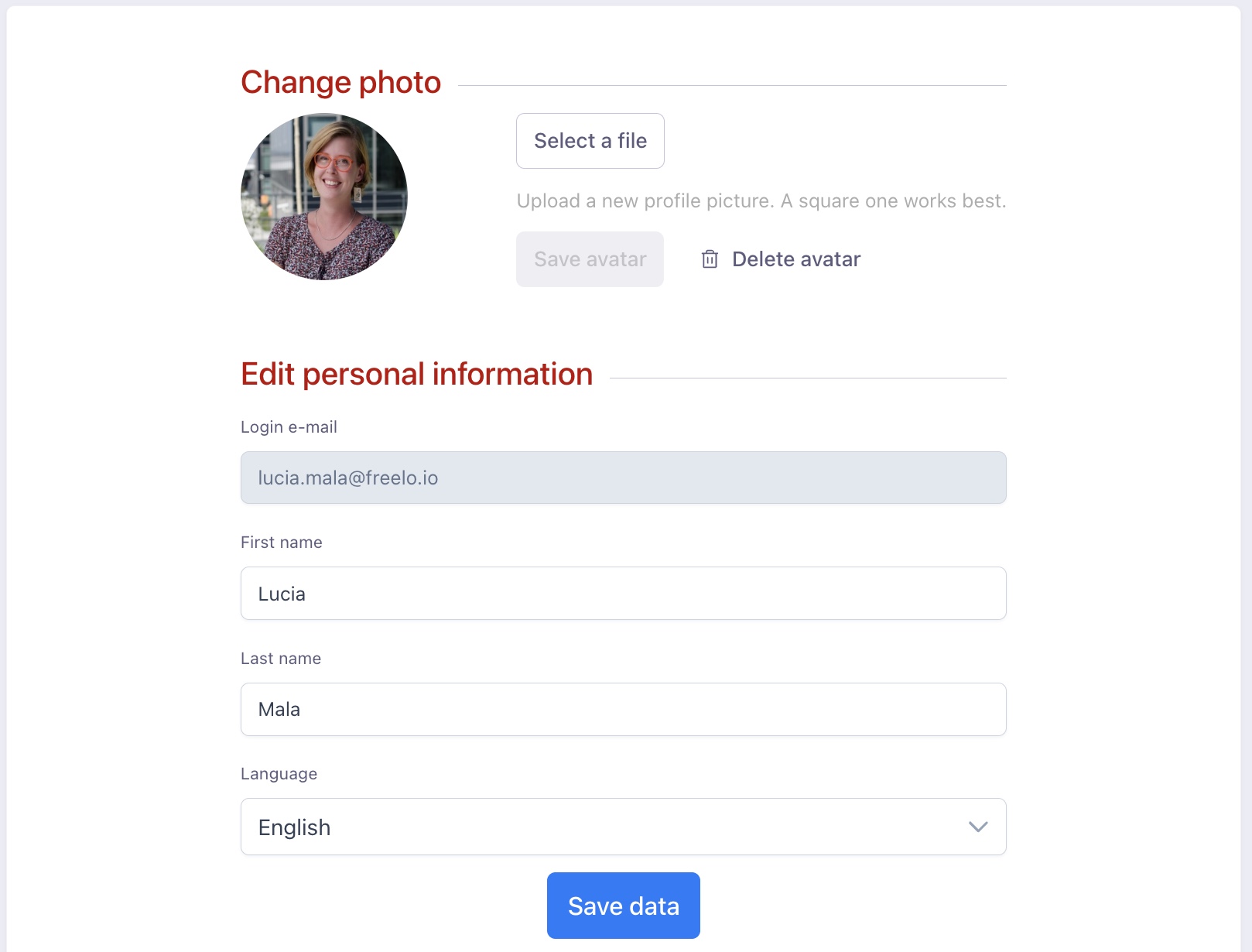
- Profile photo / avatar (square format, max. 2 MB)
- First and last name
- App language
- App settings for features that apply across all of Freelo
Changing your profile photo / avatar
The photo must be in square format. Maximum file size is 2 MB. If you do not set a photo, your initials will be displayed. Select a file and click Save avatar.
Changing personal information
Here you can change your first and last name and the app language. Confirm the changes by clicking Save data.
App settings
Enable the following options by turning on the green checkbox. The settings apply across all projects.
- My project manager will automatically be an admin in the project I invite them to – this allows the project manager to immediately invite users to the project. Without the Admin role they can only create the project.
- Do not collapse large numbers of comments – if a task has many comments, they will not be hidden.
- Show comments from newest to oldest – sets the comment order in the discussion so the newest comments appear at the top and the oldest at the bottom.
- Always scroll to the latest comment – Freelo will always redirect you to the latest comment in the discussion.
- Remind me when an old deadline is moved – if a past task deadline is changed, you will receive a notification (e.g. Changed the task deadline from XX to XX).
- Do not show update notifications – Freelo will not notify you about new feature updates.
- Enable minimalist notifications – confirmation messages in the bottom left corner will appear without text and in a smaller size (e.g. Deadline successfully changed).
- What should happen when a task with incomplete subtasks is completed?
- Always ask me – a window will appear each time so you can choose what to do with the incomplete subtasks.
- Complete the task only – only the task will be marked as complete; subtasks remain open.
- Complete the task and all its subtasks – both the task and all its subtasks will be marked as complete.
Dark mode
In Settings you can switch Freelo to dark mode.
API key
You will also find your API key here, which is useful for connecting Freelo with other systems.
Onboarding
If you want to restart the onboarding process that guides you through the basic features of Freelo, activate it by clicking Show the intro guide in the app again.
Account deletion
If you are leaving Freelo for good, you can delete your account. We would appreciate any feedback on what didn't work for you or what was missing. Click I want to delete my account, select a reason, and enter your password to confirm.
Need to change your login email?
If you want to change your Freelo login email, this can only be done by our team. Please write to us from your current email address with your change request including the new address and we will update it in the system right away. Contact us at info@freelo.io.
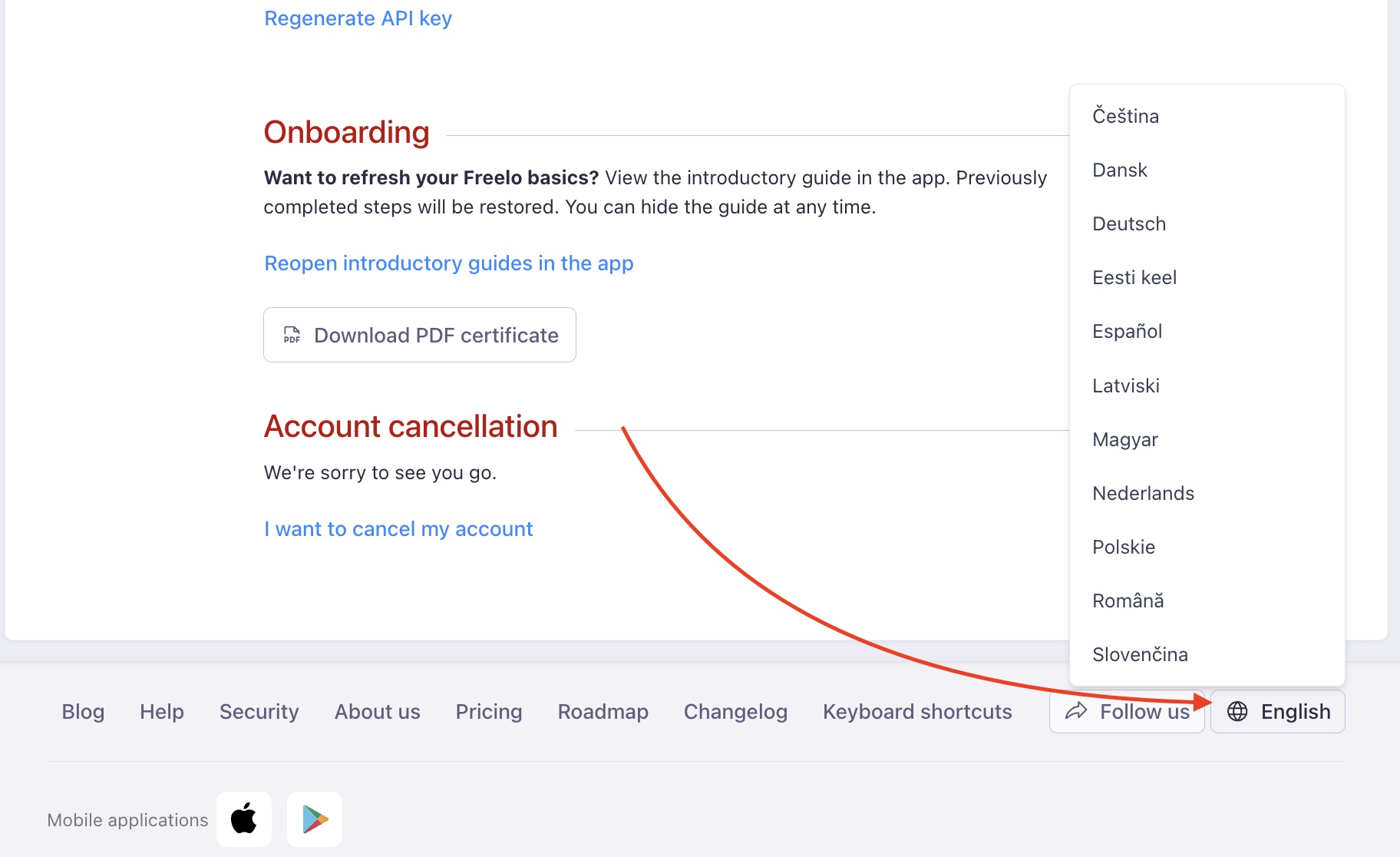
App language settings
Freelo is available in several European languages. Set your app language at the very bottom of the page in the right corner.
Practical use cases
- Switch to dark mode – if bright interfaces strain your eyes, switch Freelo to dark mode in Settings with one click.
- Invoices and notifications to the right email – need to change your login email? Write to info@freelo.io and we will update it promptly.
- Connect with other tools – find your API key in Settings to integrate Freelo with external systems or automations.
- Settings for the whole team – enable automatic admin role for your project manager so they can invite users to projects without any extra setup.
- Customise comment display – in projects with busy discussions, set comments to sort from newest first and auto-scroll to the latest message.