
When a To-Do list is not needed anymore, it is possible to archive it. Archived To-Do lists can be restored anytime, including the entire history. Feature Archive is available for each To-Do list. In case you want to delete a To-Do list you have to archive it first.
Archive To-Do list
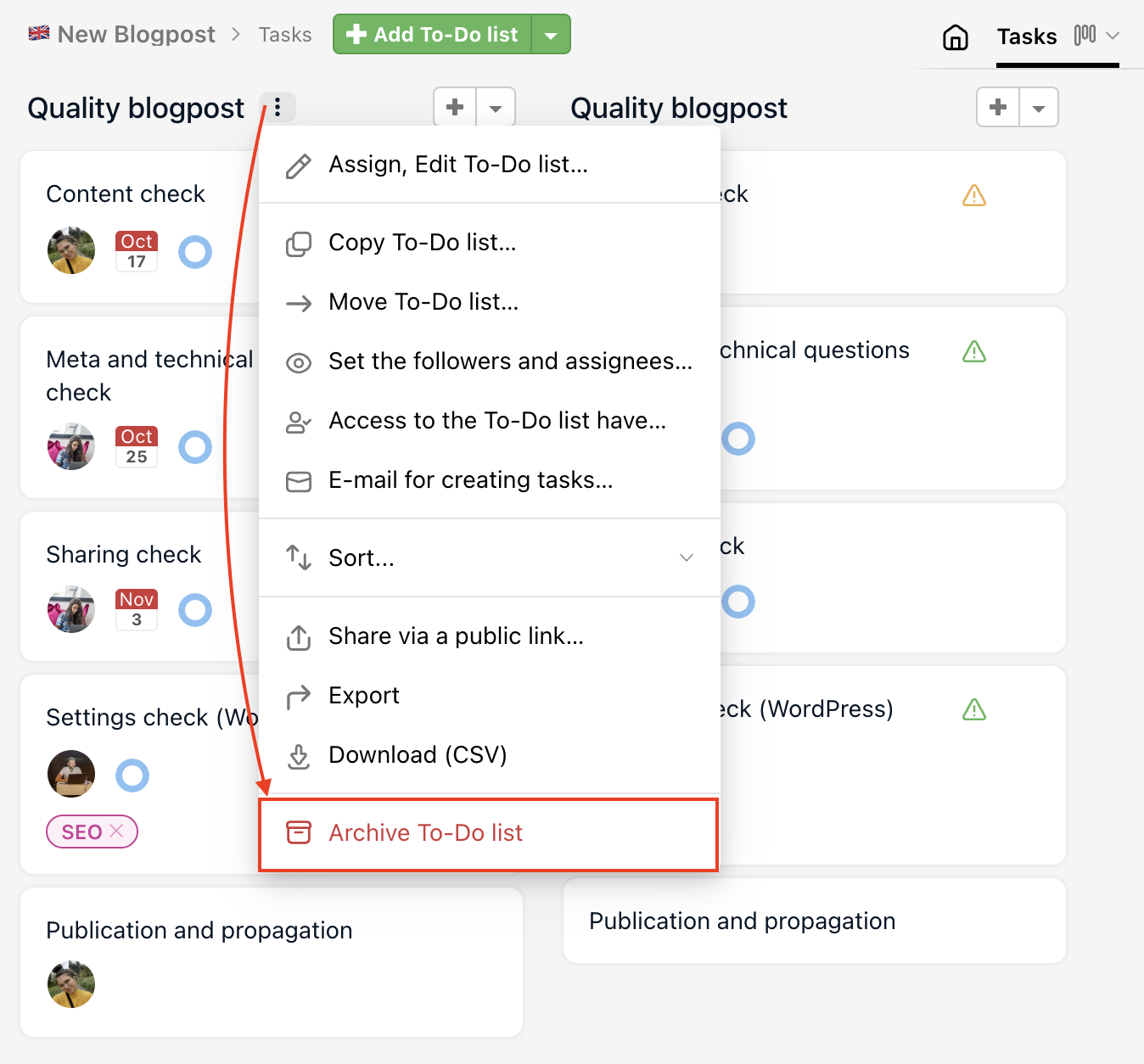
Every user invited to a project with access to the To-Do list can archive it. Go to project detail and via the three-dot menu next to the To-Do list name find the last option Archive To-Do list.
Right after archiving a To-Do list, you can undo the action via the orange notice at the top > click here.
How to restore archived To-Do list
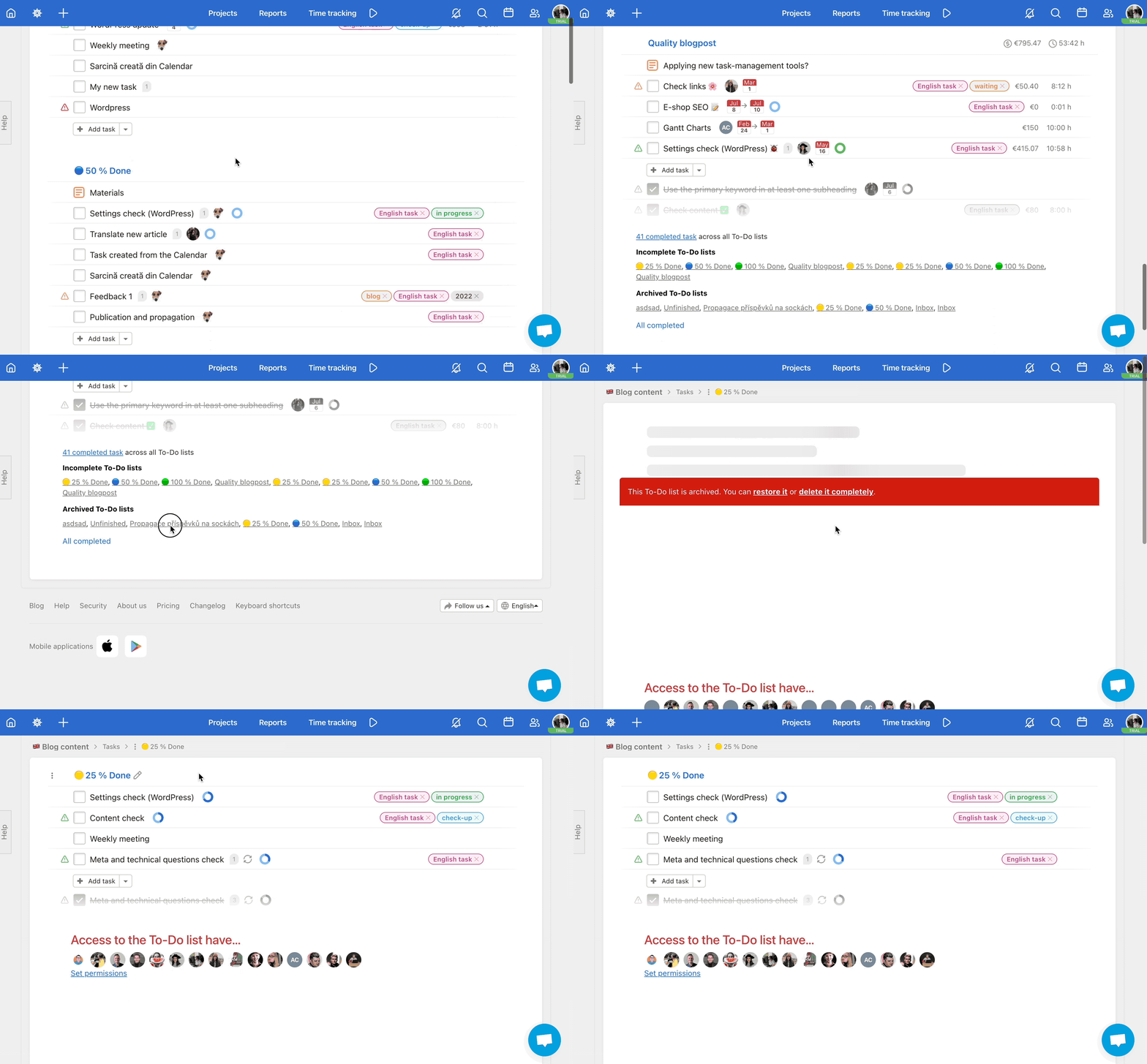
All the archived To-Do lists are at the end of the To-Do list section under the title Archived To-Do lists. You can restore the list anytime and all the details are maintained.
Click the To-Do list name. You can check all the tasks and also decide whether you want to Restore or Delete the To-Do list.
Delete To-Do list
Only archived To-Do lists can be deleted. After the archiving To-Do list, it can be restored or deleted definitely.
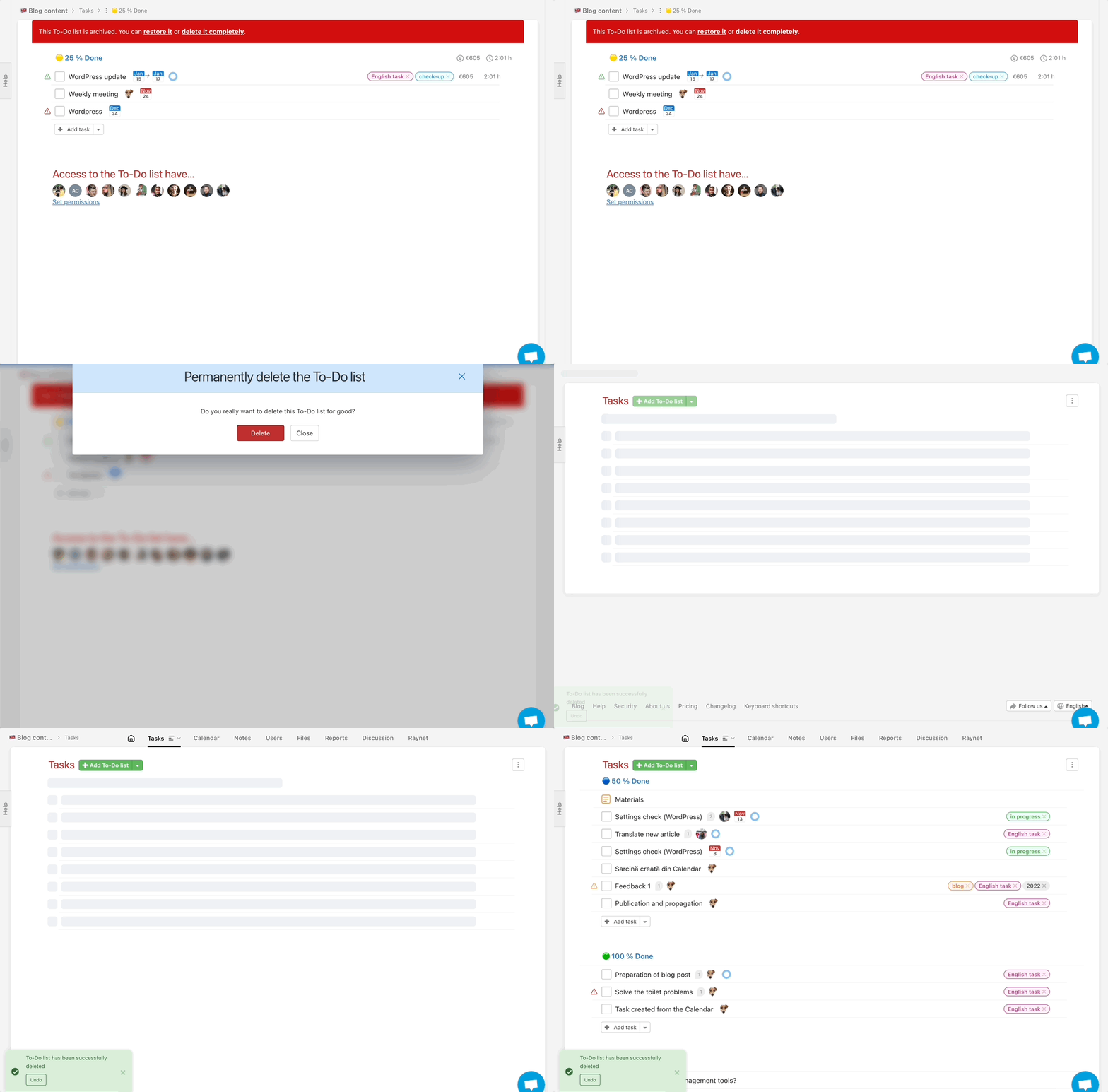
First archive the To-Do list as described above. Then go to the section Archived To-Do lists and click the To-Do list name. In the red upper row click on Delete it permanently.
In the following window, confirm the action by clicking Delete.
Practical use
- Closing a project phase – archive the To-Do list after finishing a sprint or milestone to keep the project tidy
- Seasonal projects – archive To-Do lists off-season and restore them next year with the full task history intact
- Wrapping up a client project – archive the To-Do list when the work is done, keeping the data accessible if you ever need it
- Project cleanup – remove outdated or empty To-Do lists to keep the project clear and easy to navigate
- Deleting test data – archive and then permanently delete To-Do lists from a testing or preparation phase