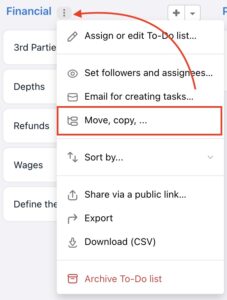
You might need to copy or move a To-Do list between projects – including all tasks and related information. The Move, Copy, ... feature is available for every To-Do list via the three-dot menu to the right of the list name.
How to Copy a To-Do list
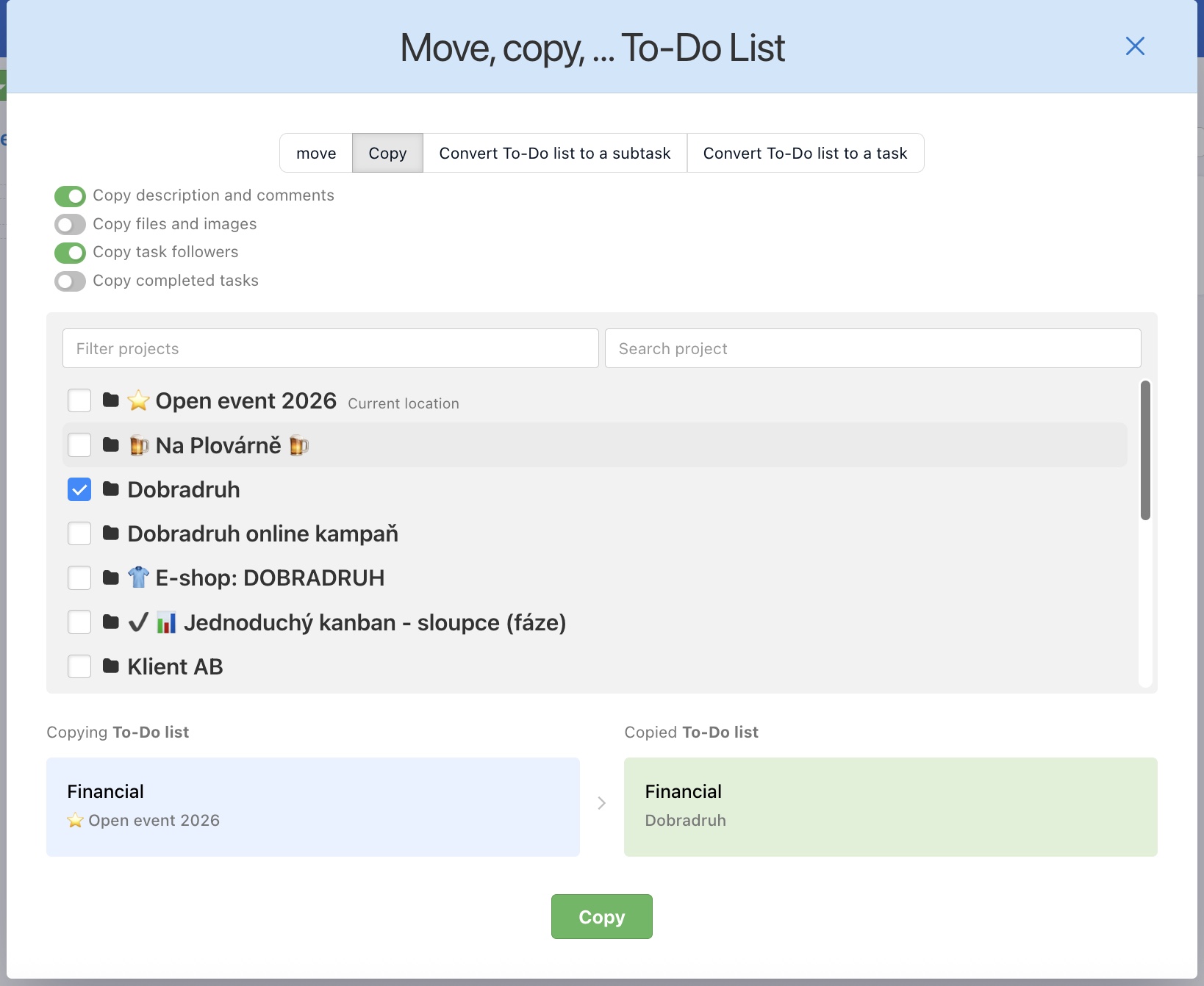
To-Do lists can be copied within one project or to different projects. From the three-dot menu, go to Move, copy, … You can choose whether to copy descriptions, comments, files, followers, or completed tasks. At the bottom, you'll see the positions of the original and copied To-Do lists. Confirm by selecting Copy.
How to Move a To-Do list
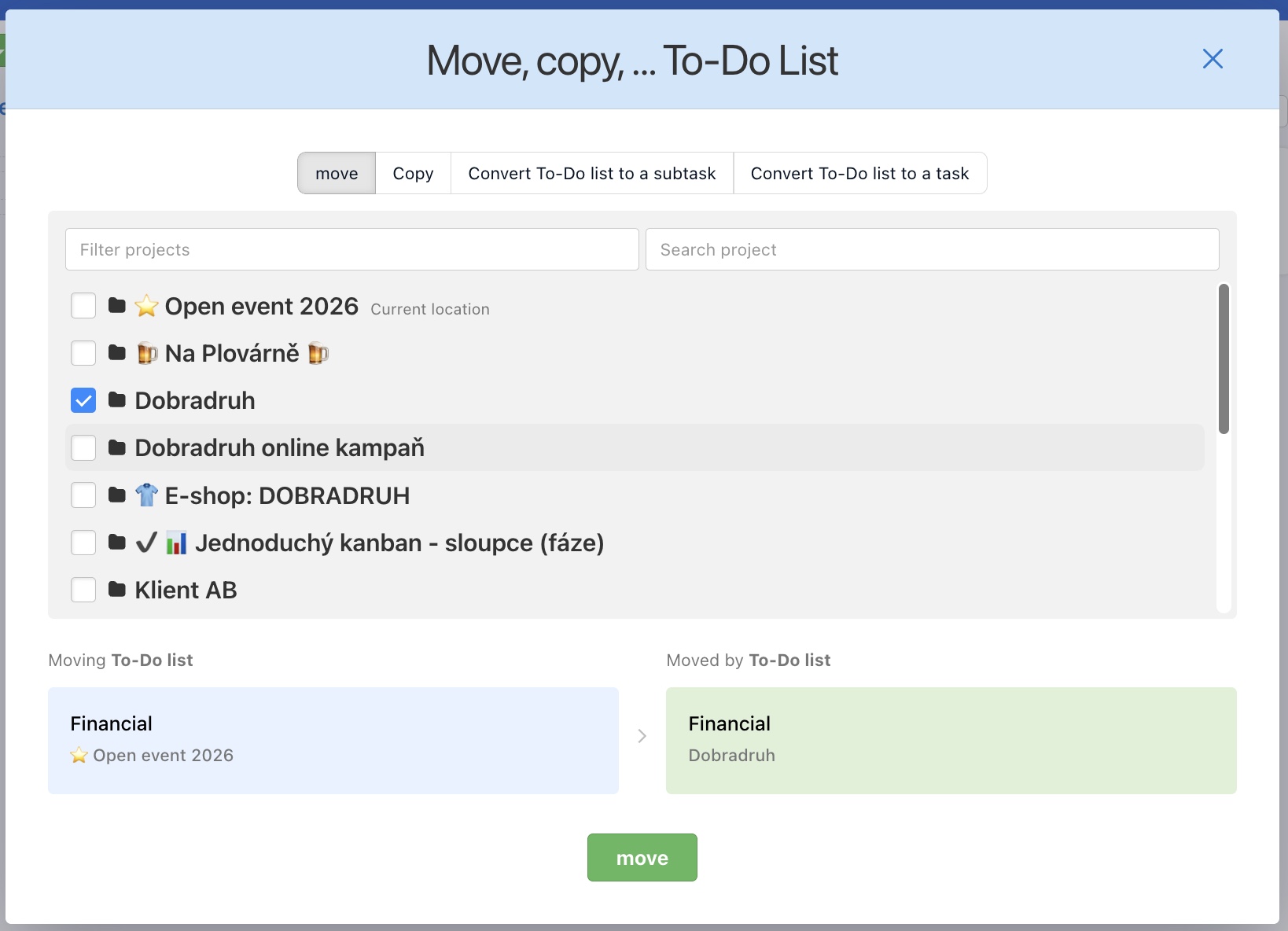
You can Move To-Do list across projects and it keeps all the tasks, comments, documents, subtasks, due dates and assigned users (as long as they have an access to a new project). Via three-dot menu on the right from a To-Do list name go to Move, copy, ... At the bottom, you'll see the previous and new position of the To-Do list. Confirm by selecting Move.
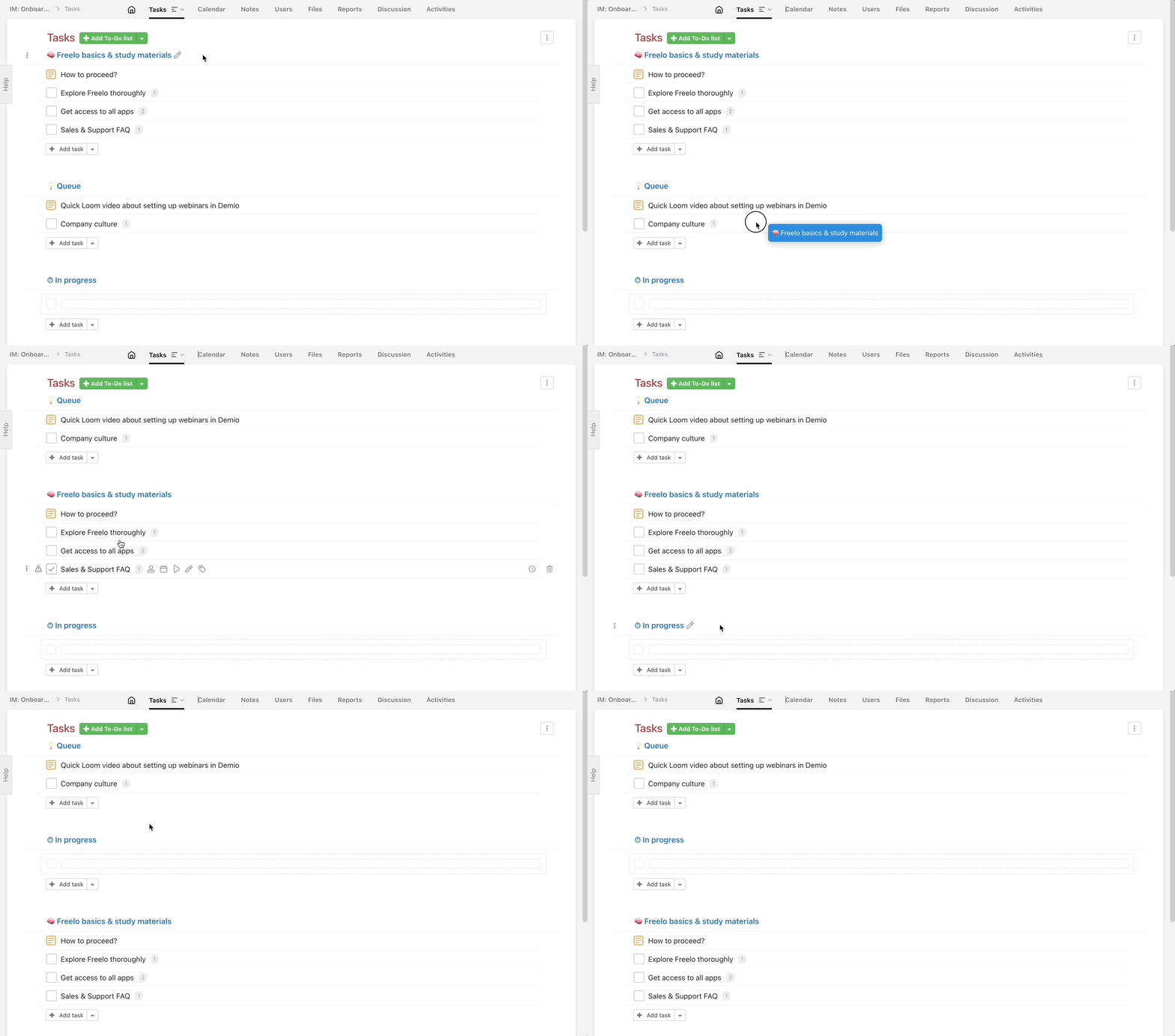
To-Do lists can also be moved within a project. This helps you set the right order. Just drag & drop a To-Do list wherever you want it.