
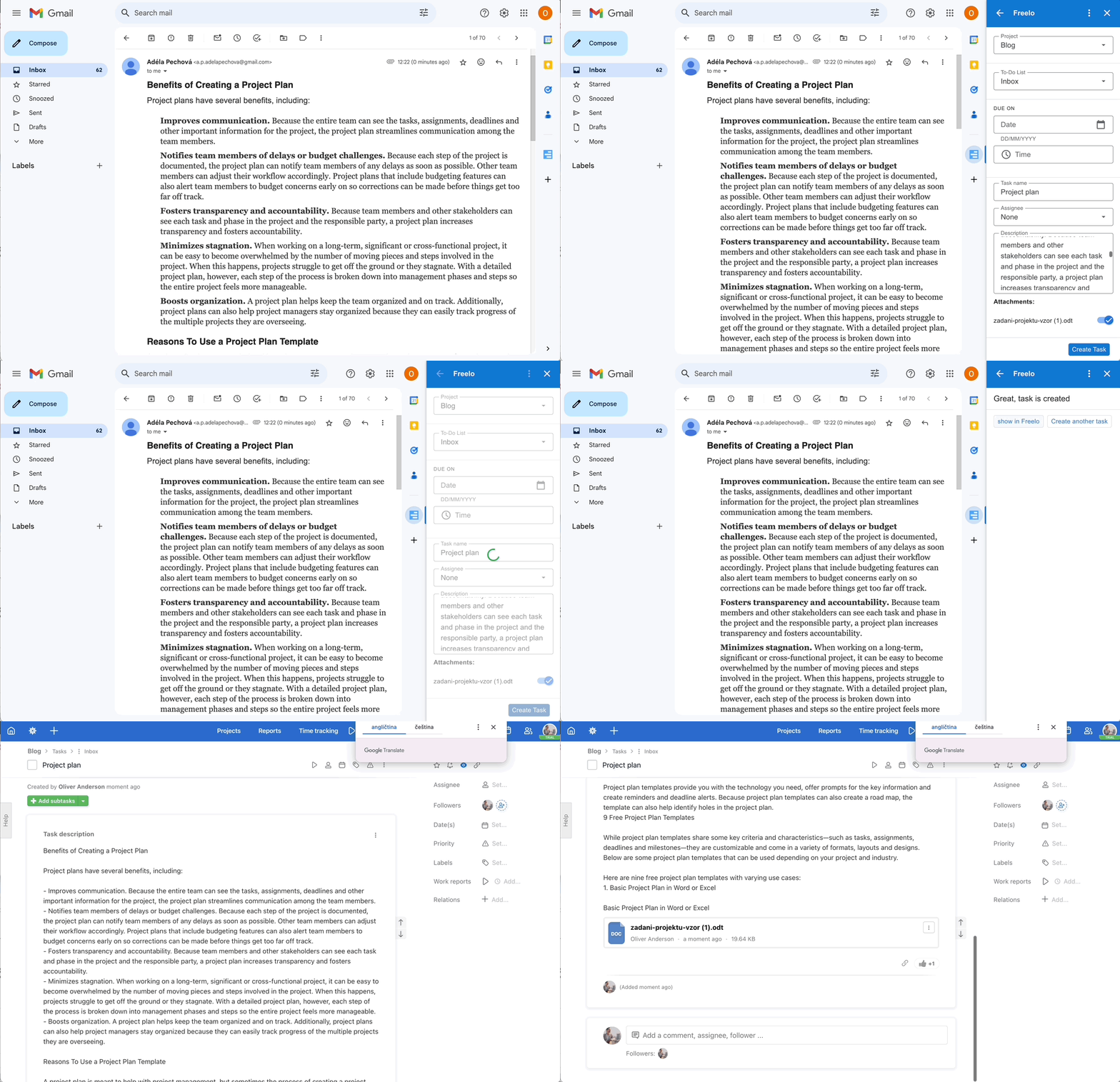
The Freelo Gmail Addon lets you create tasks directly from emails – without switching between apps. Assign an incoming email to your team in just a few clicks: the task name is generated from the subject line, the description from the email body, and attachments are imported automatically. This article walks you through setting up the addon step by step.
E-mail attachments from Gmail can be transferred to Freelo too.
How to connect Gmail and Freelo
Generate API key
First you need to copy your API key from Freelo. That connects your projects and Gmail Freelo Addon. Via your avatar in the upper right corner go to Settings, scroll down to the section API key and copy your unique key.

Copy your API key and go to Gmail.
Install Gmail Freelo Addon
Now you should install Freelo Addon in your Gmail. In 2 minutes we will show you how.
https://www.youtube.com/watch?v=oBKlxb8yQ2o&feature=youtu.be&ab_channel=Freelo
Practical Use
The Gmail addon is most useful in these situations:
- Customer support – turn incoming client requests directly into tasks, without retyping or forwarding them.
- Delegating from email – an important internal email becomes a task with an assigned team member and due date in just a few seconds.
- Capturing requests that would get lost – every important email gets its own task in Freelo and does not stay buried in the inbox.
- Working with attachments – documents, screenshots, or files from the email are automatically attached to the task.
Do you like this integration? Let us know! 😊