
It often happens that the users test Freelo in the 14-day trial and start several projects, but are unable to work on them once the trial ends since they exceeded the limit of active projects. Therefore, the team leader decides to subscribe to a plan in which you can have more than three active projects per account.
But what about the projects that are already up and running on other accounts? All their owners need to do is transfer them under the paid account. That way the projects will be owned by one account that will manage them. The rest of the team will continue to work under the Free plan.
Project transfer is helpful when:
- Your testing version (Trial) runs out and your projects exceed the maximum amount of active projects in the Free plan (3 active projects)
- You are leaving the team/the company
- You want to use Freelo under a different account (i.e. the company e-mail address has changed)
Transfer the Project to another user
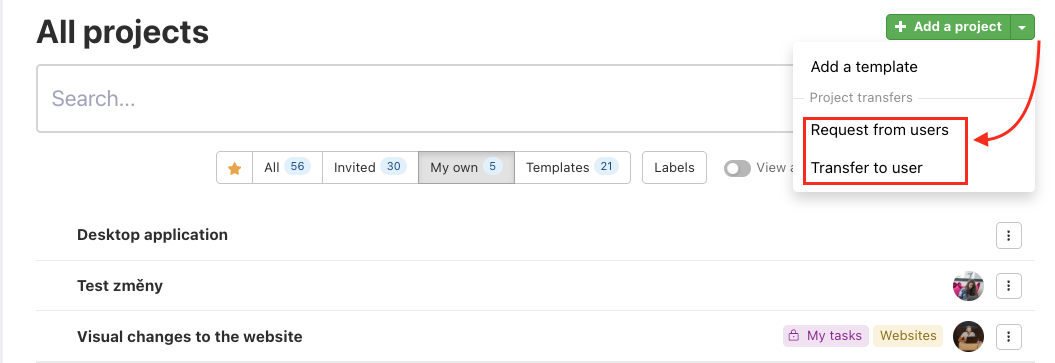
You can transfer projects to a new owner individually or in bulk. Go to the Projects section in the top blue menu > All projects and use the arrow next to the Add a project button to choose Request from users or Transfer to user.
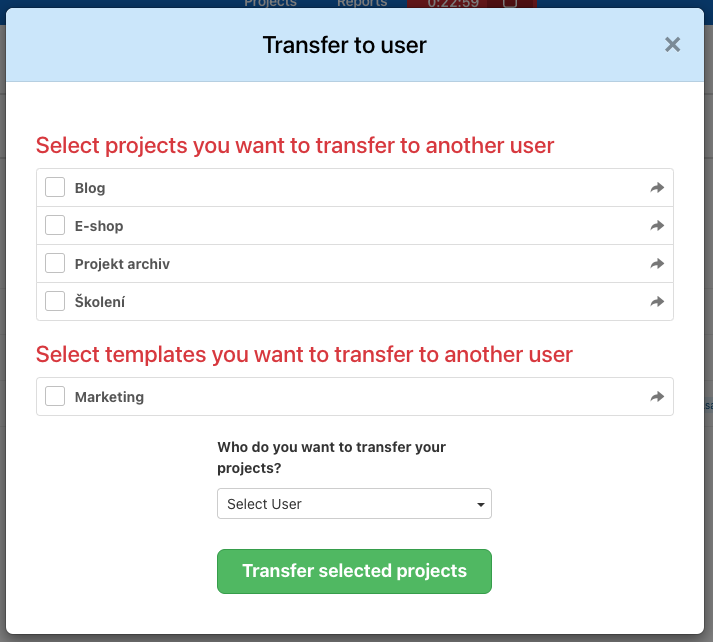
Check the projects you want to transfer and select the new owner.
Choose Transfer to user option, select all projects you want to move and the new owner, and confirm by clicking Transfer selected projects.
In the section All projects you can see the transfer requests at the top. In case you accidentally chose an incorrect project or user, you can cancel the transfer. Click the red Cancel button or three-dot menu > Reject all requests to cancel all requested transfers.

Confirmation by the new project owner
The future project owner has to accept your transferred projects. The new owner will receive a notification, that will redirect the user to the Projects section to confirm the change.
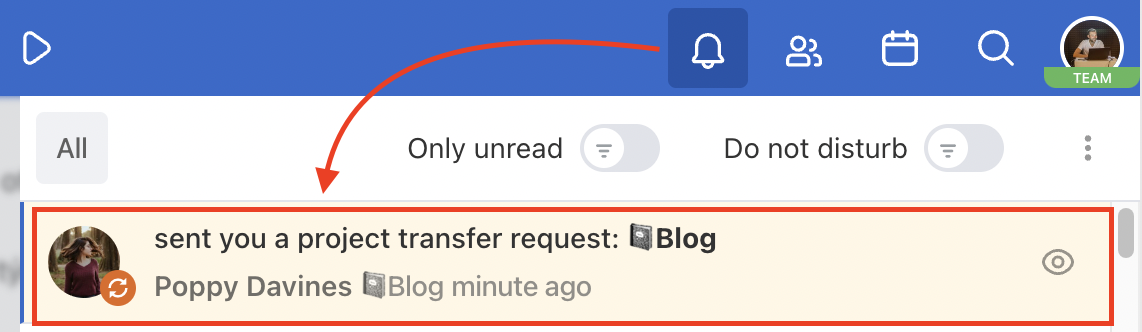
The new owner can Confirm or Reject the transfer of the project.

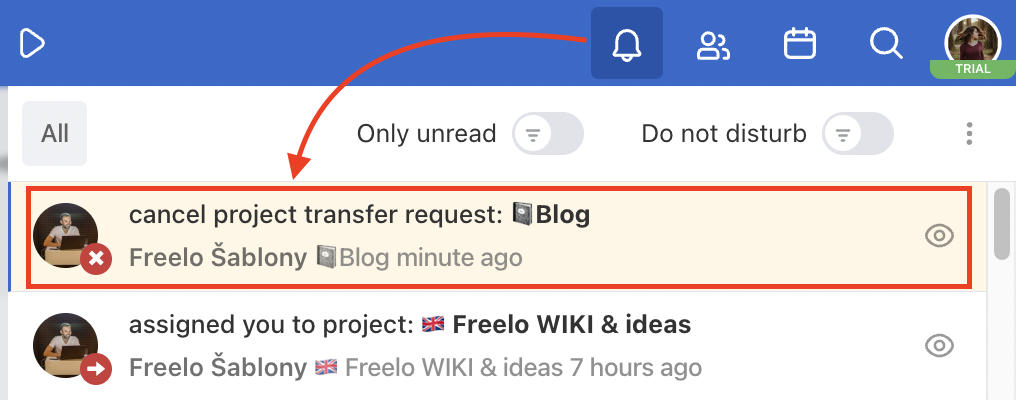
In case the transfer is refused, the original owner remains and will receive a notification about the request cancelation.
Request the project from another user
You can request a user to transfer a project to you. Go to the section Projects > All projects > click on the arrow next to Add a project > Request from users.
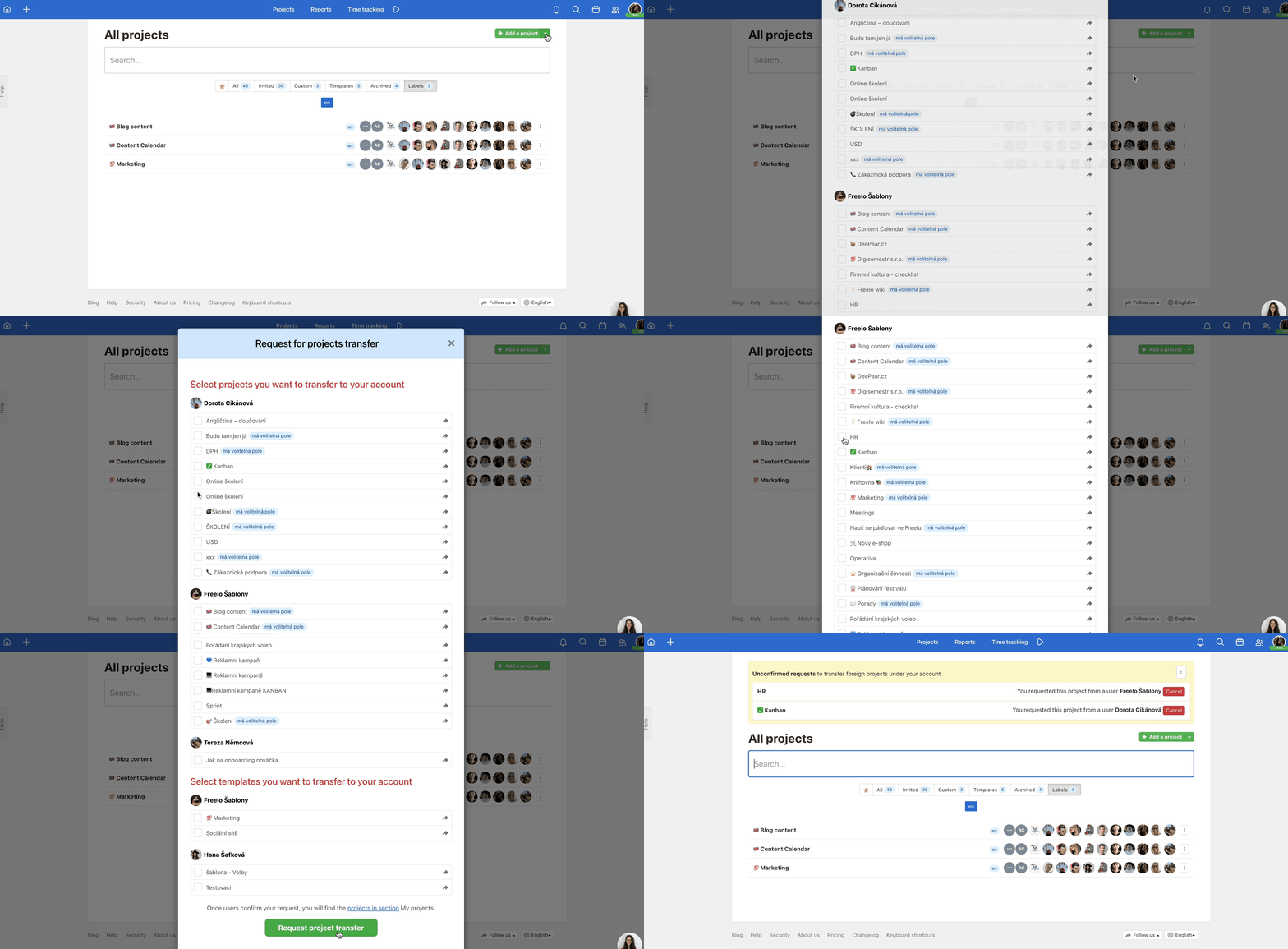
In the following window, select the projects you want to own. Confirm via Request project transfer. The current project owner will receive a notification and can either Confirm or Reject the transfer. You will be notified about their decision either way.

In case the original owner confirms the transfer, the project will appear in your own projects.
The transfer of the project will:
- Change the project owner/captain.
- Move invited users under the new owner’s account.
- Reduce the number of active projects on the original owner’s account.
Change of the captain account
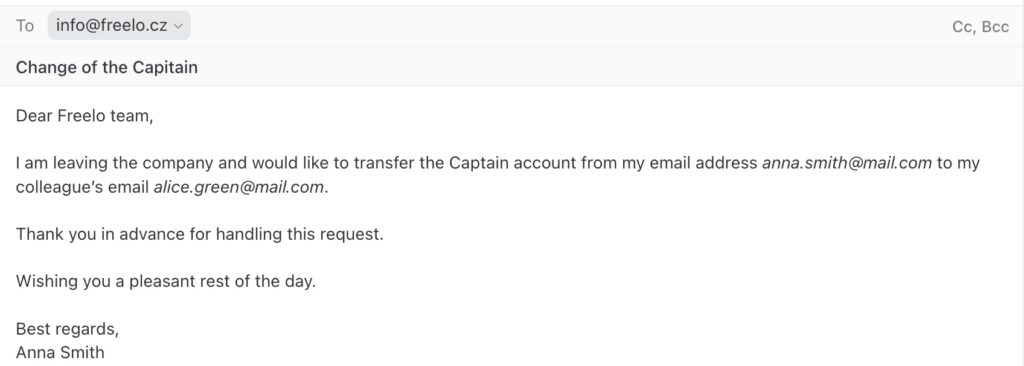
If a colleague with a paid Captain account leaves the company, the Captain role can be transferred. Simply send an email to info@freelo.io from the login email of the current Captain and request the change. Also add the email of the new Captain, who must have a Freelo account.
For example, Anna Smith has a paid captain's account and is leaving the company. She wants to transfer the captain's account to her colleague Alice Green. Anna writes the request to change the Captain from her registered Freelo email.
This procedure is primarily for the safety and protection of our users.
If you make this change, all projects will be transferred to the new Captain, along with invited users and their assigned roles of Admin and Project Manager, teams etc. Freelo invoices and billing data will also be transferred, and the original Captain will automatically be set to the Free plan. The original Captain will remain invited to all projects. It may be necessary to remove them.
Practical use cases
- Trial ended, project limit reached – after the trial period, you have more than 3 projects? Transfer them to an account with a paid plan and continue without restrictions.
- Team member leaving – a departing team member transfers all their projects to a successor or team lead. Invited users remain in the projects unchanged.
- Centralising projects under one account – if everyone in the team was creating projects on their own account, transfer them under one paid account so an admin can manage them clearly.
- Changing your work email – moving to a new company email? Transfer projects to the new account so all project data stays accessible.
- Changing the Captain of a paid account – when the responsible person leaves, send a request from the registered Captain email to info@freelo.io. The new Captain takes over all projects, users, and assigned roles.