
In the All Projects section you will find a list of all projects you have been invited to as well as your own. Click Projects in the top blue bar > All Projects.
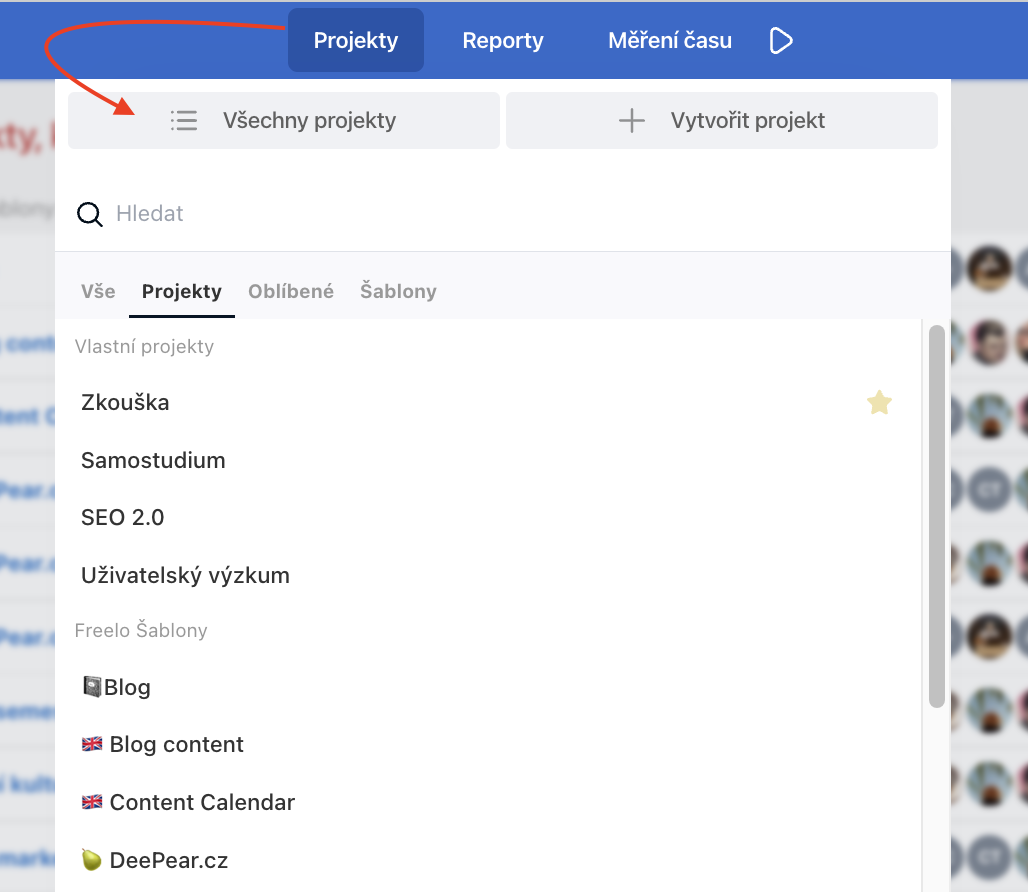
For quick navigation from a project detail to another, you can also use the top Projects menu, where all projects are listed alphabetically.
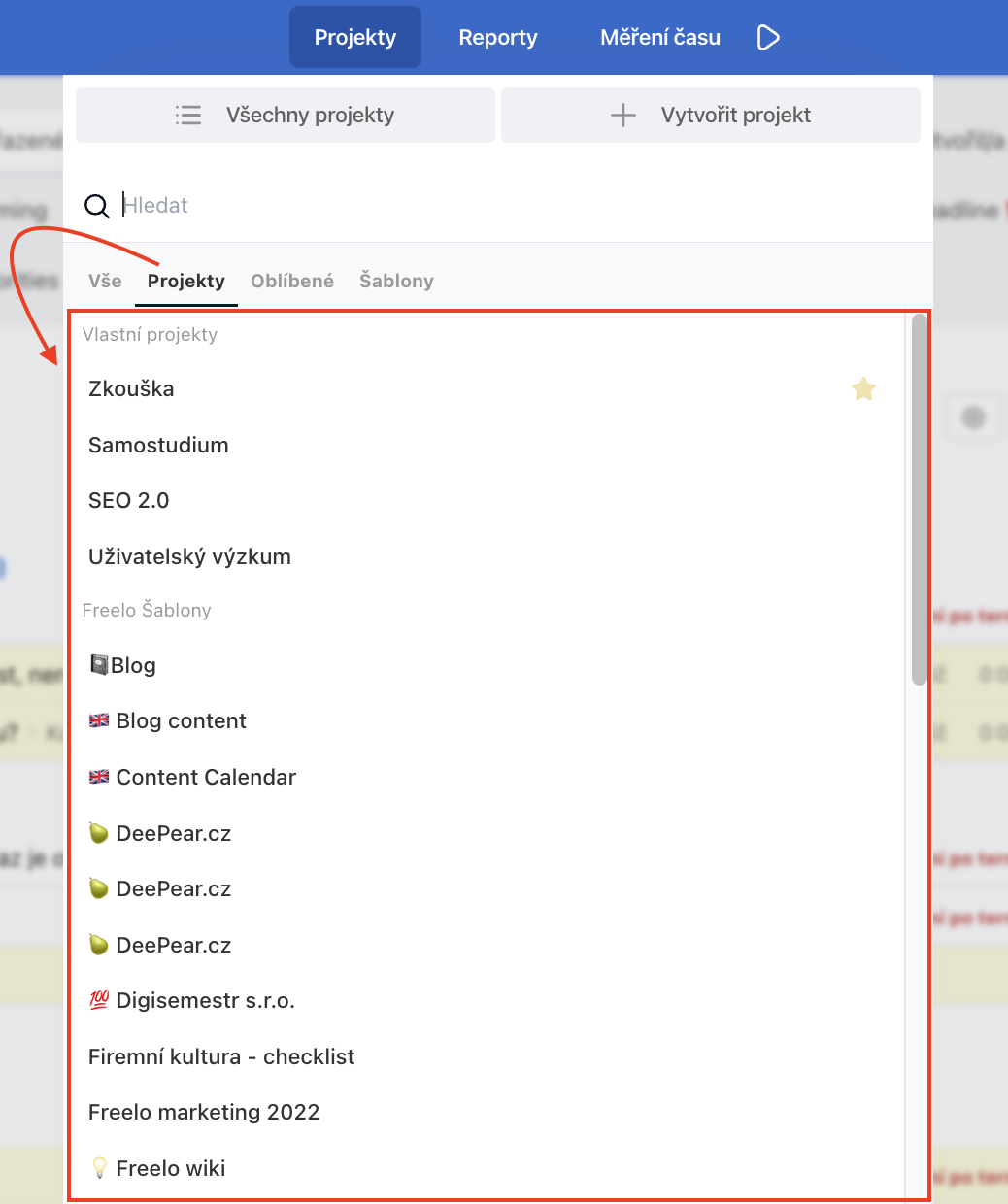
Search
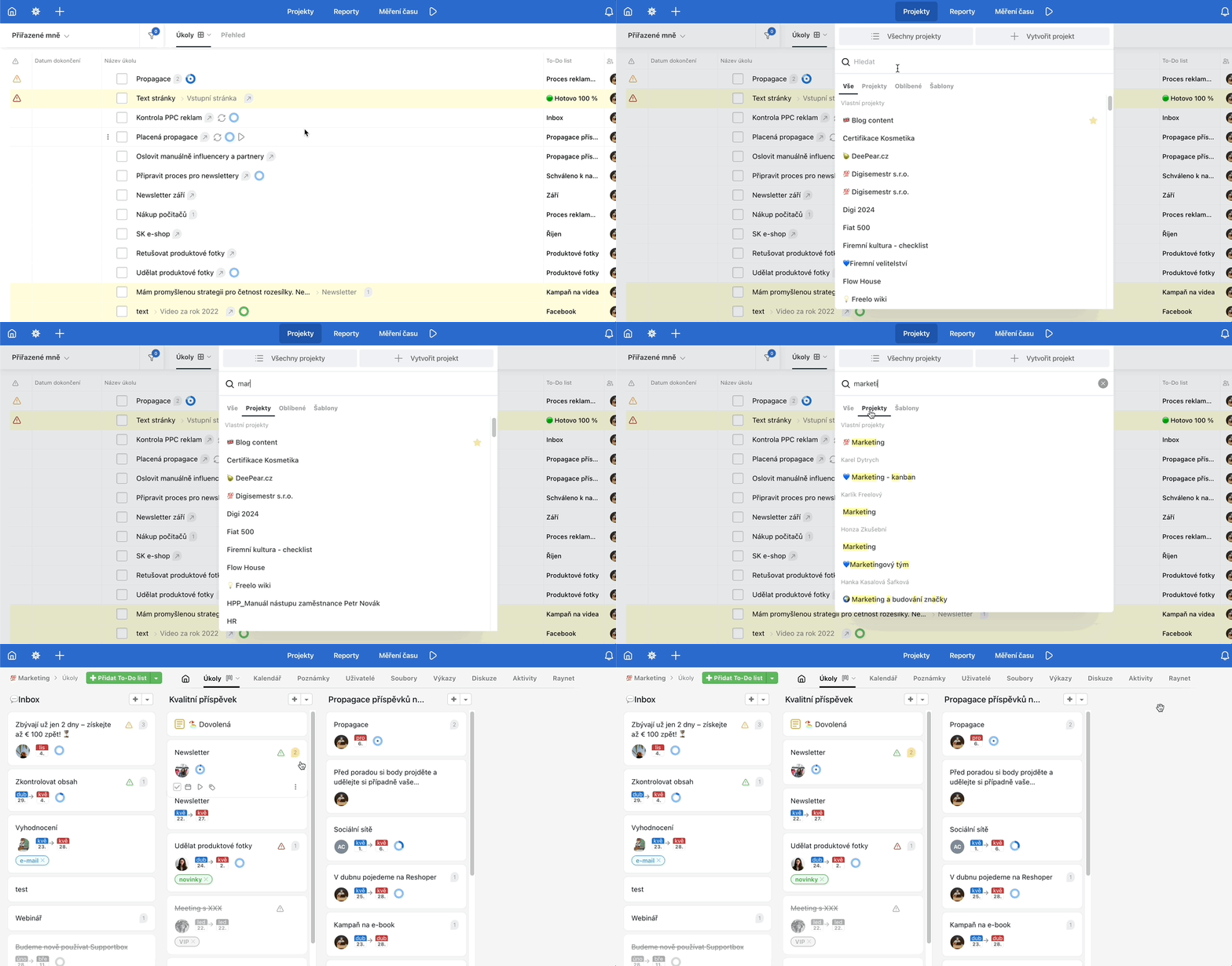
If you have many projects and alphabetical ordering is not enough, set a project label for easier orientation, or use the search field. It is located in the Projects section right above the list of projects and templates. If you want to search only in projects and not among templates, switch to that category.
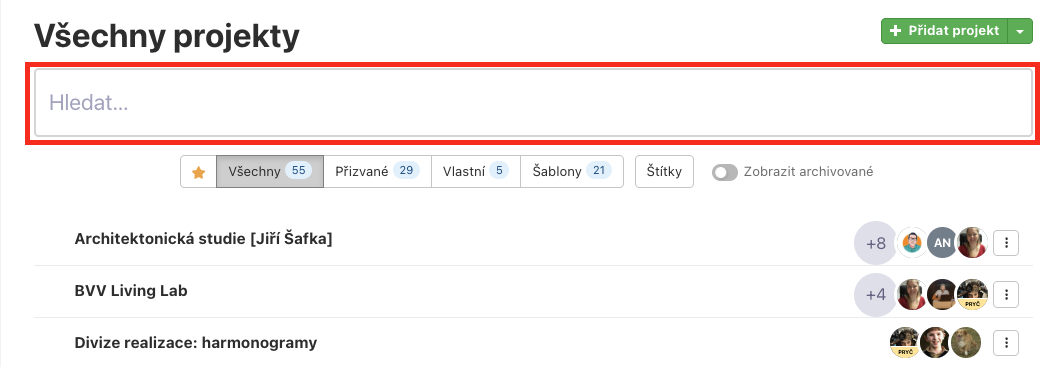
You can also find a search field directly on the All Projects page.
Project types
In Freelo, projects are divided into 4 groups.
1. Invited
These are projects to which another user has invited you. There can be an unlimited number of such projects and you don't pay for them.
They are listed by the users who own the project.
2. Own
These are projects you create under your own account and you are their captain. If you have been assigned the role of you can create projects under someone else and such a project will appear in Invited.
Your own projects have a limited count on the Free plan, where the maximum number of created projects is three.
3. Templates
Templates are projects from which you can create new projects with a pre-set structure. See the help article on how to work with project templates.
4. Archived
In Freelo you can put projects to sleep by clicking Archive project. An archived project does not count towards your project limit and you can have as many as you want. Only your own project can be archived, and you can restore it at any time. See the detailed help article on how to work with archived projects.
Filtering projects & Project labels
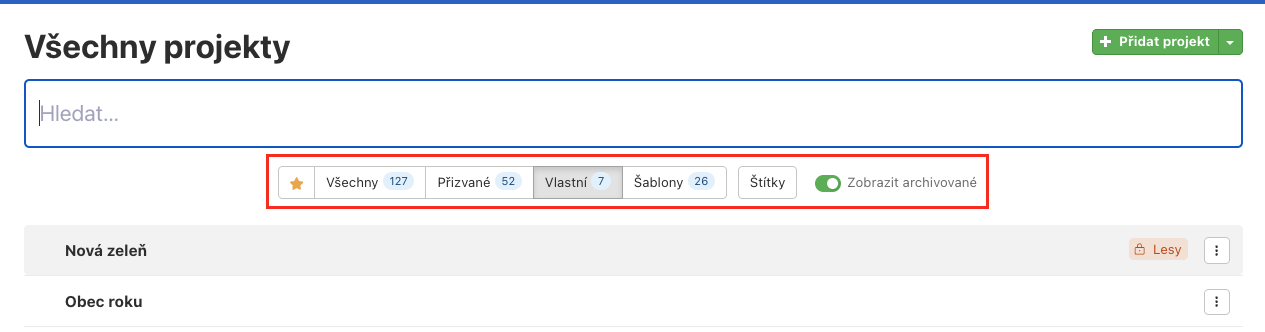
On the All Projects page, below the search field, you can filter projects by type or labels.
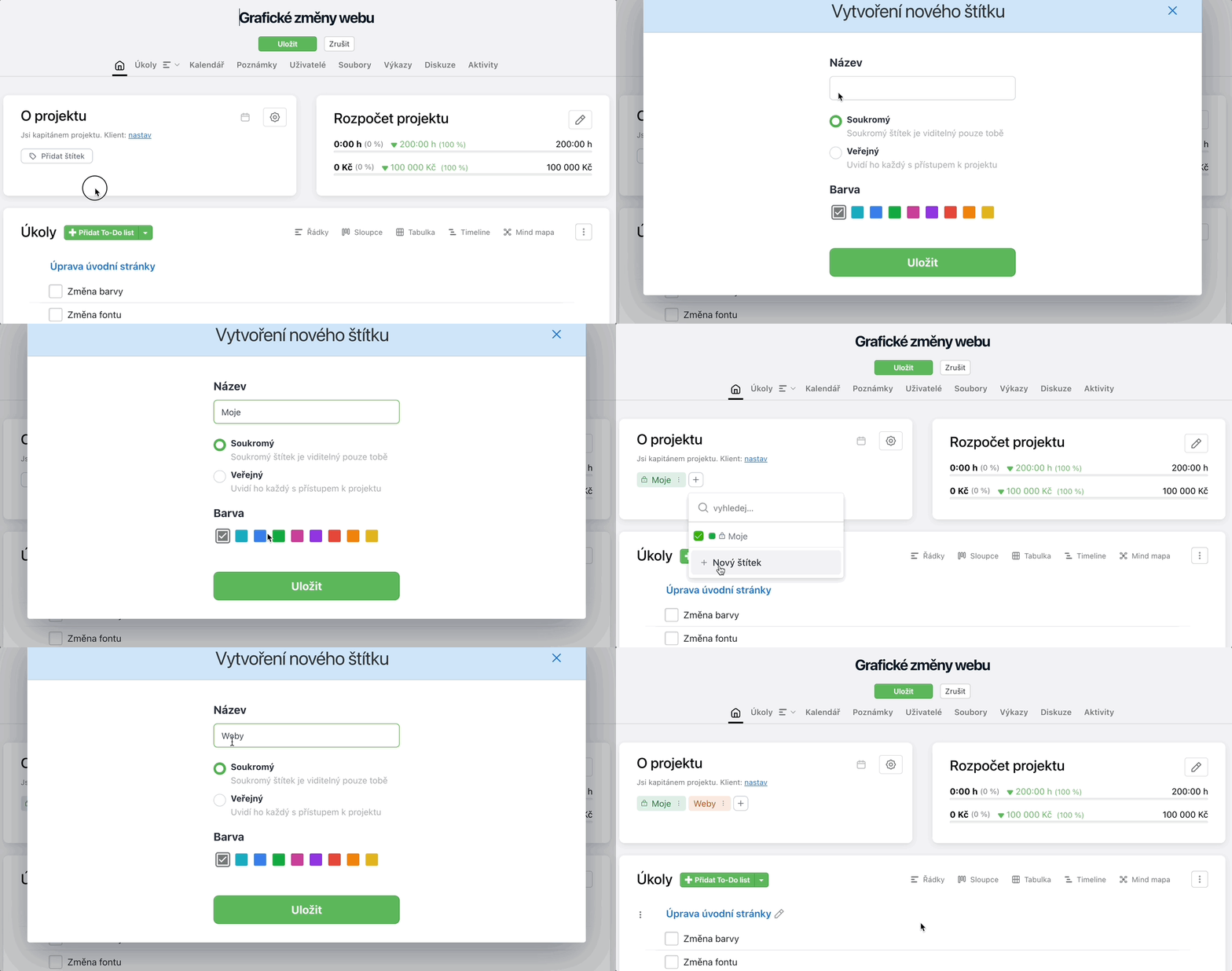
Project labels can be private (serving as your own categorisation that other project members cannot see) or public (visible to all members of the given project). They can be set on the project detail in the About the project section.
How to rename a project
If you are the captain, Project Admin, or Company Captain, you can rename a project on the project detail. Simply click on the project name and it will turn into an editable field.

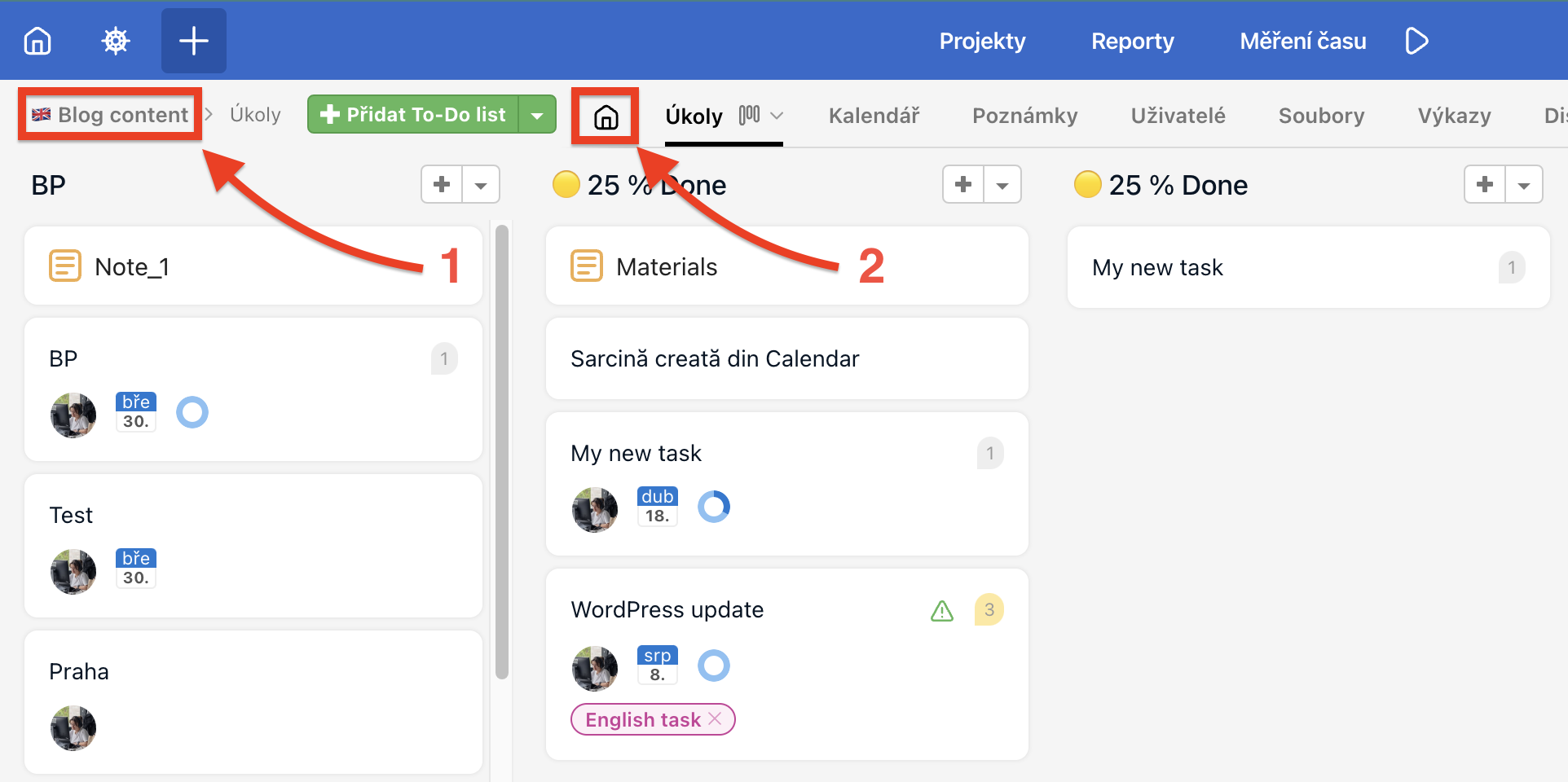
If you use Kanban (column view) and have switched the project directly to To-Do lists, you need to navigate to the project detail. Click on the project name (1) on the left, or on the house icon (2).
Archived projects
Archiving is a way to temporarily set a project aside. An archived project does not count towards the active project limit, you can have an unlimited number of archived projects, and all content – tasks, files, and comments – is preserved.
- Only your own project or a project where you have the Admin role can be archived.
- A project can be restored at any time – via the context menu on the All Projects page or directly from the archived project detail.
For more details see the article Archived project.
Templates
Templates are a special type of project with a pre-set structure of To-Do lists and tasks. They serve as the foundation for recurring project types – a new project from a template is ready in no time with all the setup already in place.
- You can have an unlimited number of templates and they are not restricted by any plan.
- A template can be shared within your company so that other team members can use it too.
For more details see the article Project templates.
Practical use cases
- Keeping the overview tidy – archive projects you are not currently working on. All Projects will then show only what is relevant right now.
- Recurring projects – for annual events (audit, conference, seasonal campaigns) create a template once and launch the next edition from it in no time.
- Onboarding new colleagues – a template with onboarding tasks ensures every new team member gets the same checklist and nothing gets overlooked.
- Finding your way around projects – use project labels and filtering on the All Projects page to quickly find what you need even with dozens of projects.
- Remove yourself from someone else's archived project – invited to a project that no longer concerns you? Remove yourself via the context menu on All Projects (make sure the Show archived toggle is enabled).