
Archiving a project is a way to temporarily put it aside – all its history, tasks, and files are preserved, but you cannot actively work on it. It's useful when a project is finished or temporarily on hold and you don't want to delete it.
- An archived project does not count into your project limit (active projects).
- You can have an unlimited number of archived projects.
- Archived projects can be accessed by captain and any of the invited users.
- You can activate your own archived project anytime and start working on it again.
- You cannot edit an archived project. In order to make changes such as add tasks, comment or edit notes in the archived project, you have to make it active again.
- Project can be archived by its owner (Captain) and Admin only.
How to archive the project
You can archive your own projects, as Company Captain, or projects where you have the Admin role. Via the context menu on the All projects page:
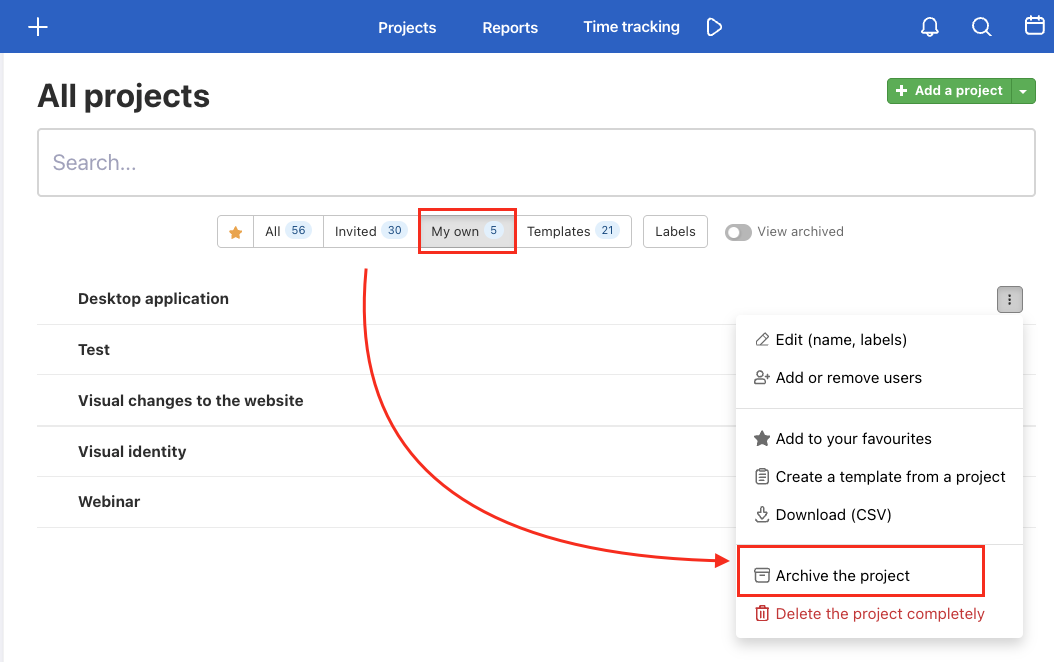
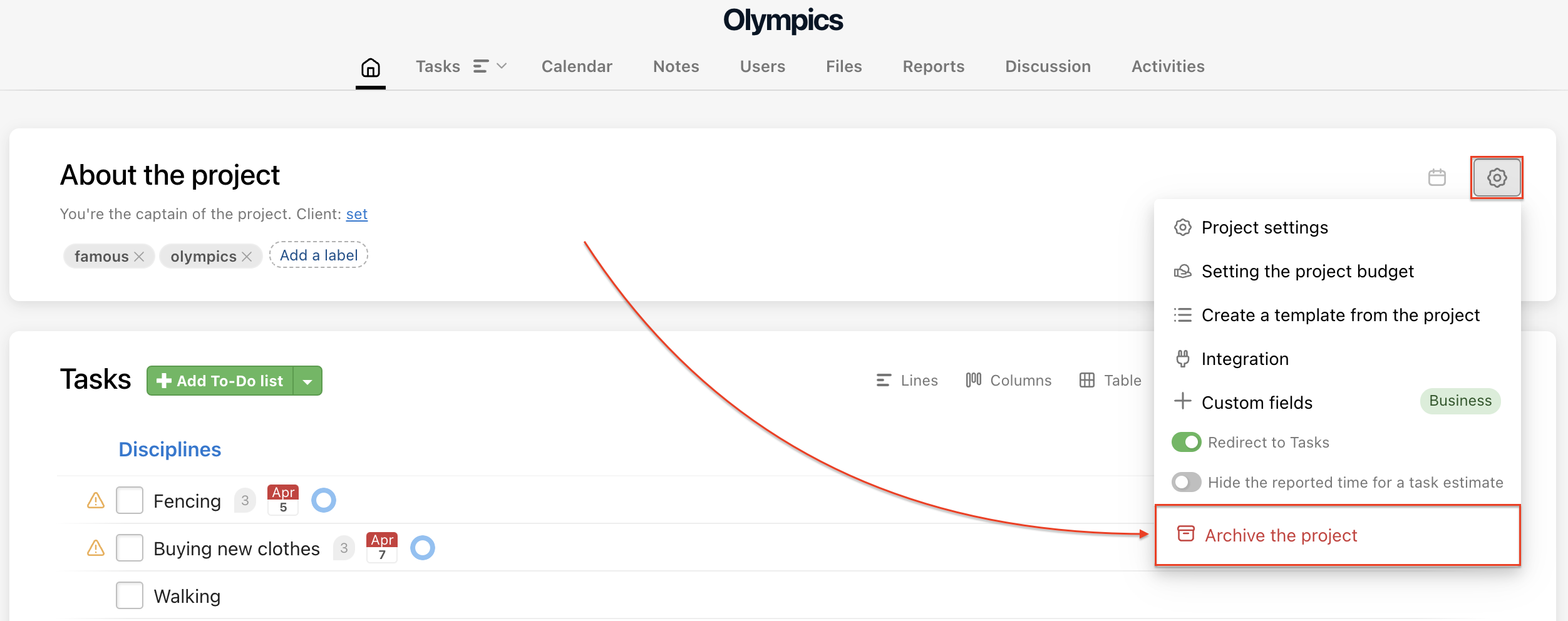
Or on the project detail via the gear icon > Archive the project:
How to restore the project
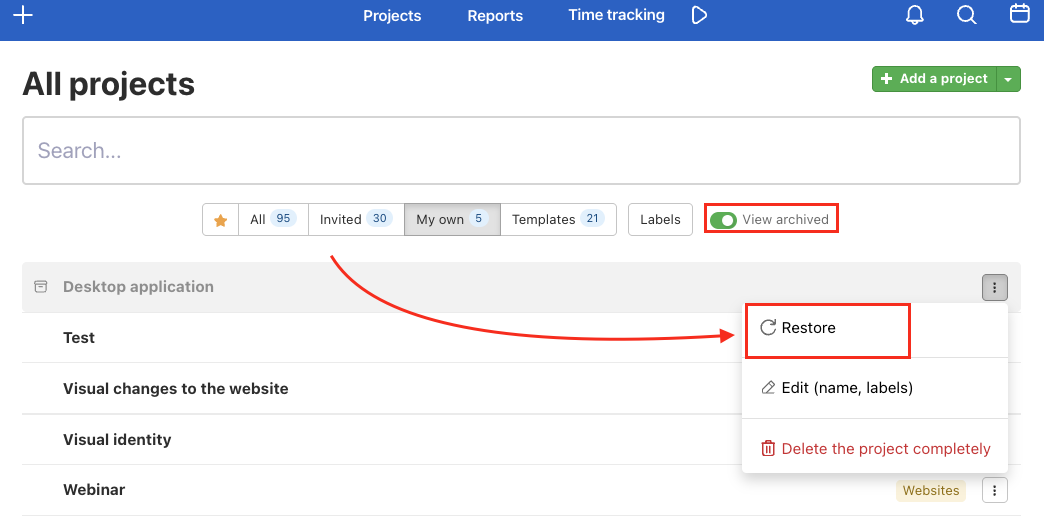
All projects that you own and have been archived are in the section Archived projects in All projects.
You can filter just the archived projects in the left menu. Then click the three dot menu > Restore.
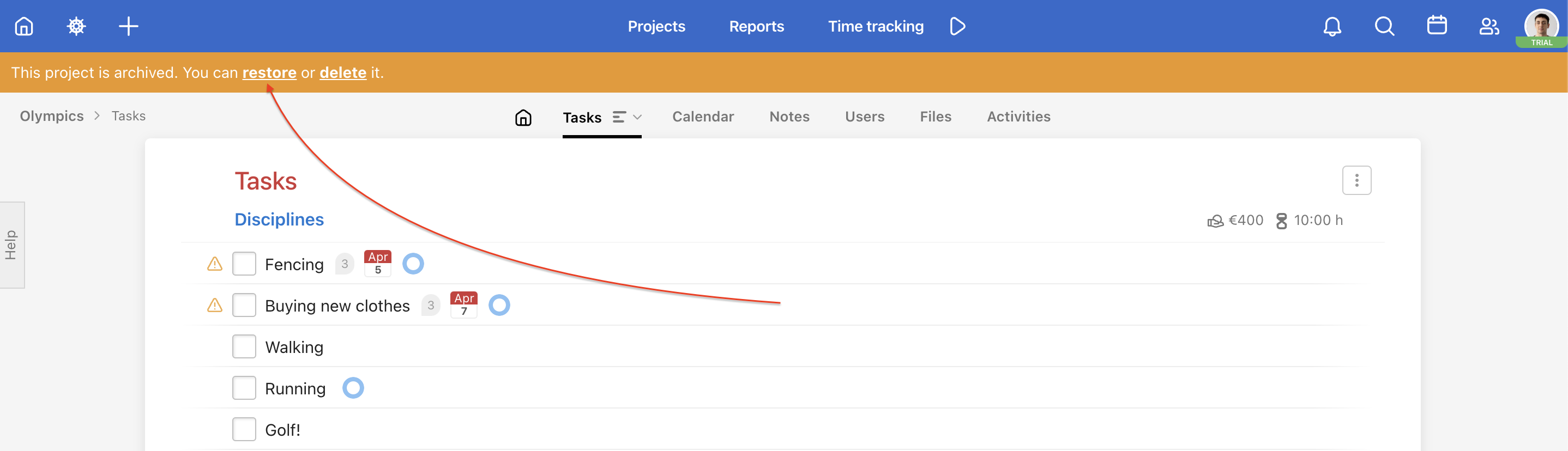
When you open the archived project details, you can see all tasks, discussions, reports, and more. In the orange bar at the top, you can either Restore the project or Delete it completely.
How to remove yourself from an archived project
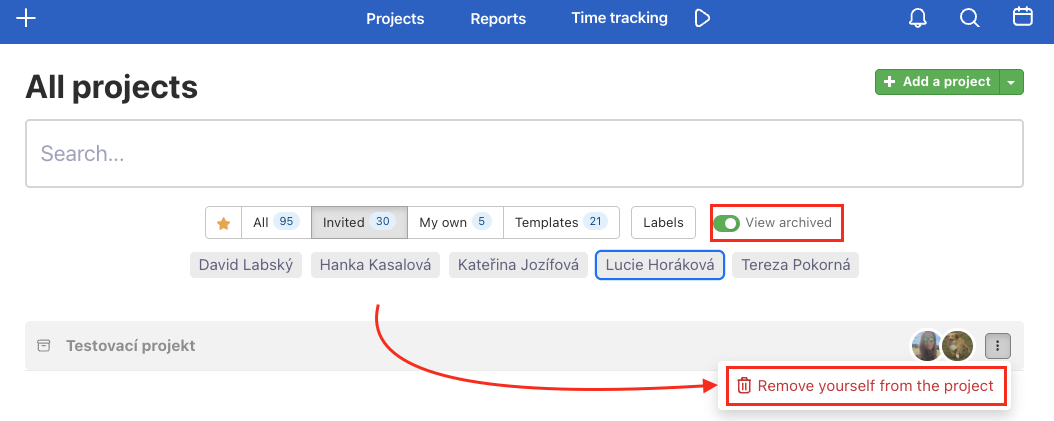
You can't restore an archived project you've been invited to. However, you can remove yourself from such a project. Go to the All Projects page via the three-dot menu on the right side of the project row.
You need to have archived projects visible – enable Show archived in the filter bar on the All projects page.
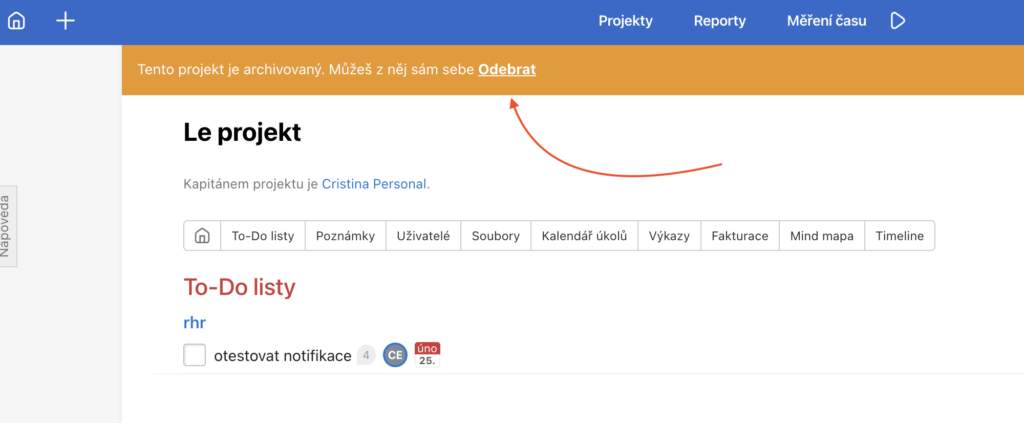
You can also remove yourself from the archived project detail by clicking the link in the yellow bar.
Practical use cases
- Completed client project – after finishing a job, archive the project. It won’t count toward your active project limit and all data will be preserved for future reference.
- Seasonal projects – have a project that repeats every year (e.g. annual audit, conference)? Archive it after the season and restore it next year with all its history.
- Keeping the project list tidy – archive inactive projects so that All projects shows only those currently being worked on.
- Remove yourself from someone else’s archived project – invited to a project that no longer concerns you? Remove yourself via the three-dot menu on the All projects page.