
Freelo Help Work with Tasks History of task changes (changelog)

History of task changes (changelog)

Thanks to task history you have an overview of all activities in every task and subtask. It is easy to check what exactly and when happened.
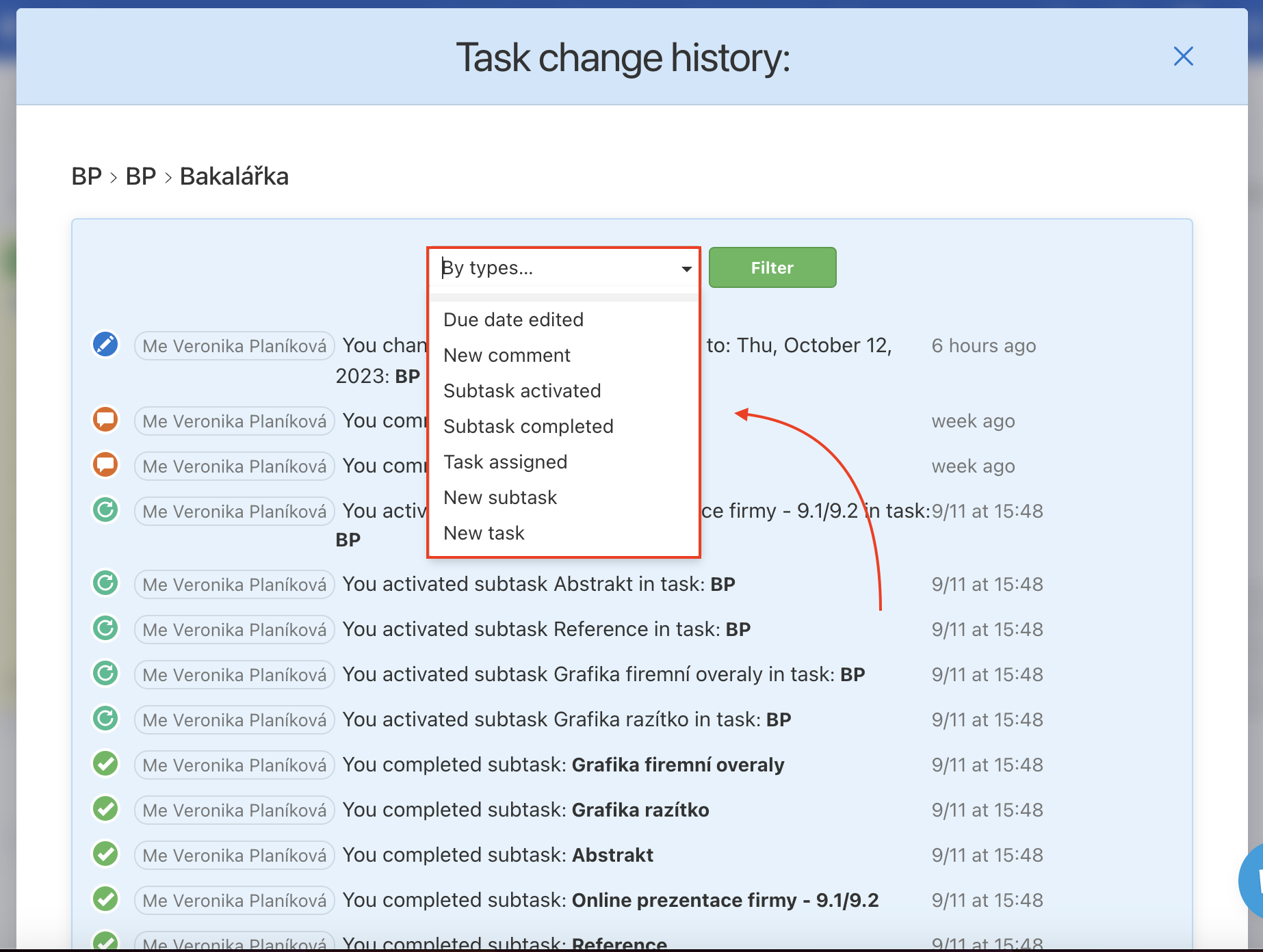
Overview of the activities in particular task.


You can individually view:

  • Due date edit
  • New comment
  • Subtask activated
  • Subtask completed
  • Task assigned
  • New subtask
  • New task
Activities overviewAll actions are in report Activities and you can filter type of action, by users or projects.

Where is task History

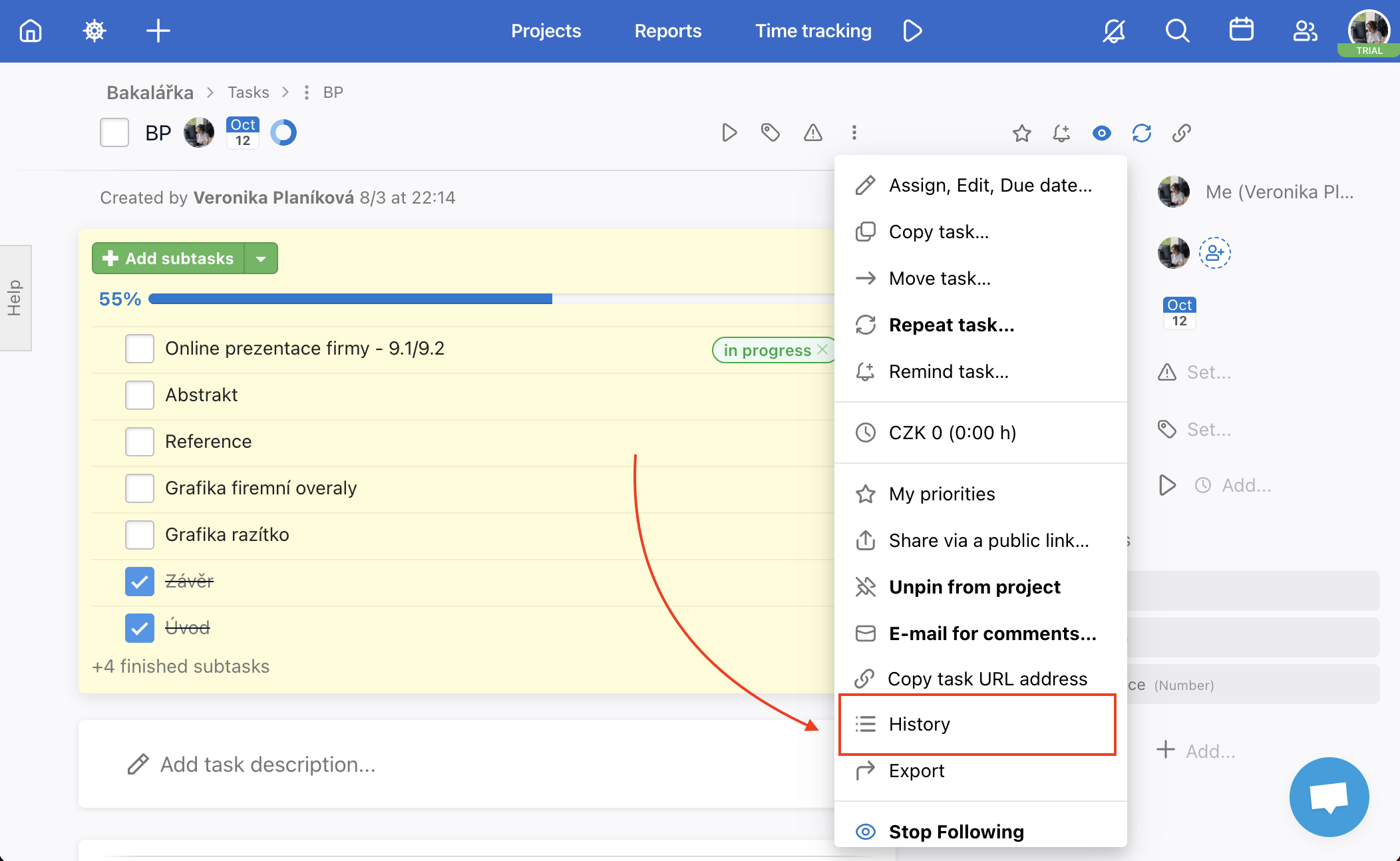
There are two ways to see history of task or subtask changes - on the page with all task (three-dot menu next to the name of the task) or on the task detail.
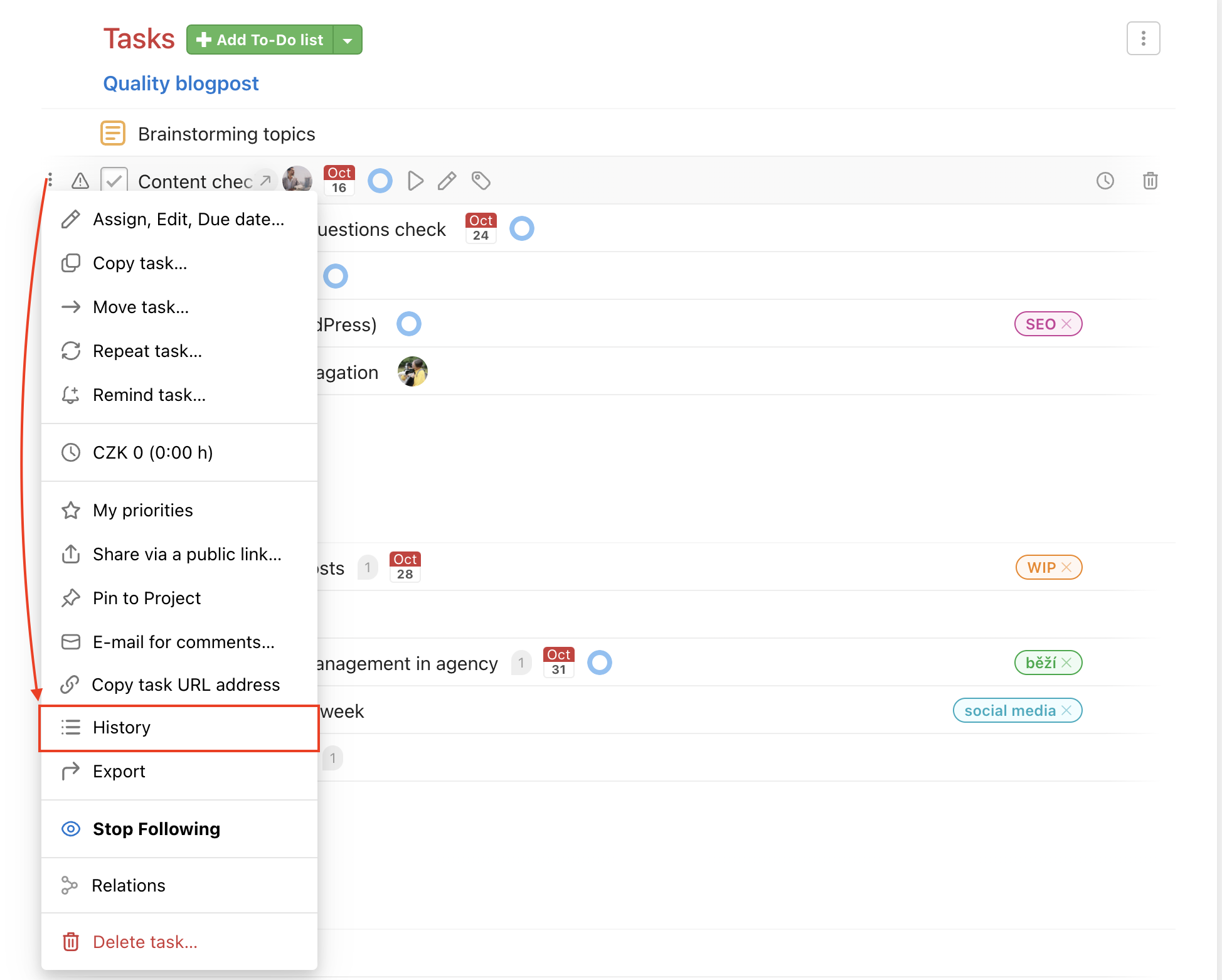
This is where you find a task history on the page with all tasks.
This is where you find a task history on the task detail.
Last updated:
Freelo Help Work with Tasks History of task changes (changelog)

Work with Projects

14 Articles

Work with To-Do lists

10 Articles

Work with Tasks

30 Articles

Account & Settings

20 Articles

Due dates & Notifications

8 Articles

Files & Sharing

8 Articles

Users & Permissions

7 Articles

Finances & Invoices

5 Articles

Reports & Time tracking

5 Articles

Third-Party Integrations

13 Articles

Business panel

6 Articles

Start with Freelo

1 Articles