
Freelo Help Due dates & Notifications Email notifications

Email notifications

We know that email is an important tool, you can set up your notifications and receive them via
email as well. Thanks to email notifications you can reply from your email to the task in Freelo directly.

Go to your profile Settings (via the avatar in the top right corner) and find section Email Notifications.

Email notifications options
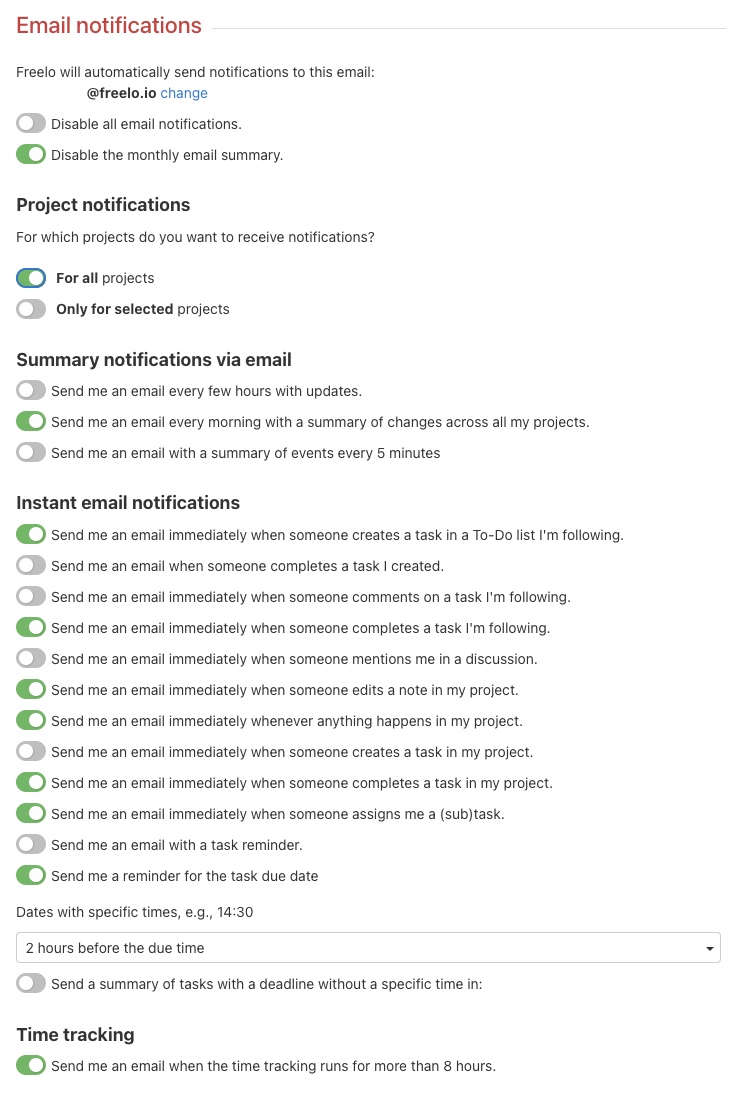
Email notification setup options.

Notifications only for selected projects

You can choose for which projects you want to receive email notifications. Just active the box on the left of the particular project. And you will get notifications only for these projects.
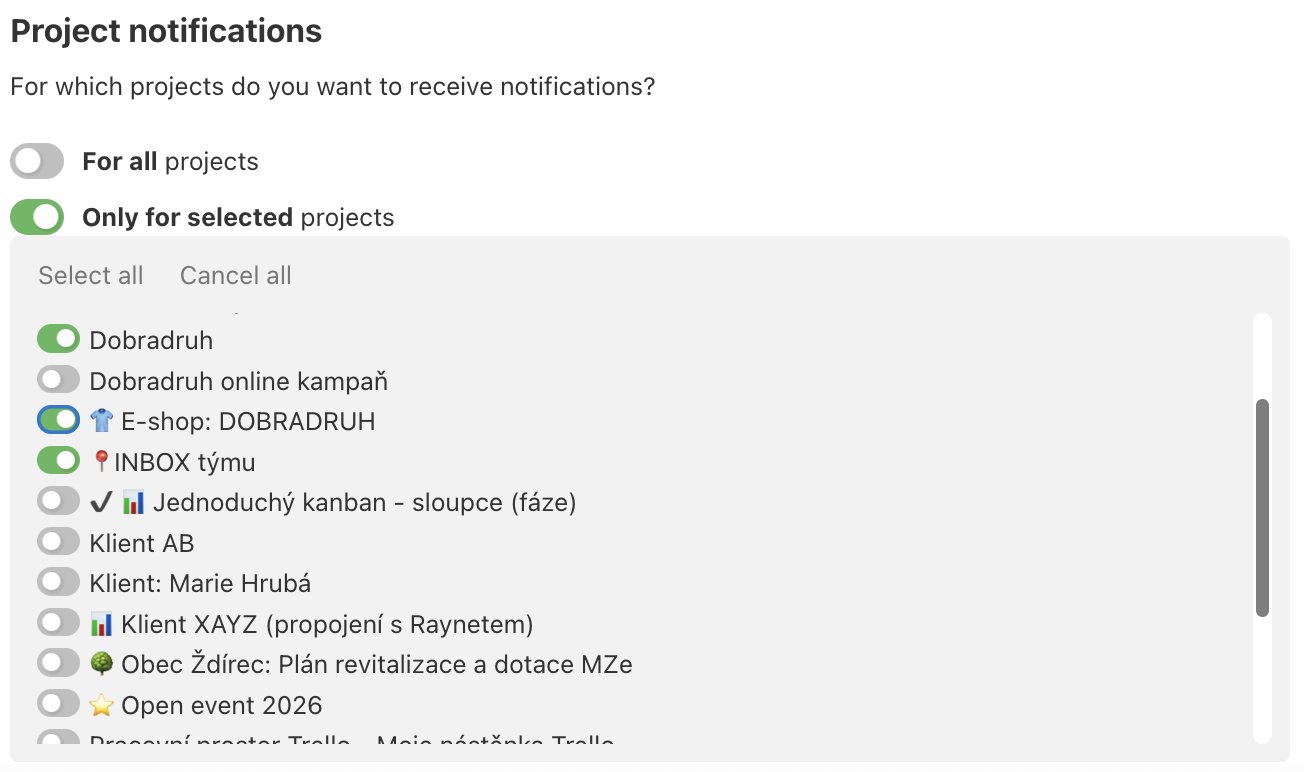
Example of how to set up notifications only for particular projects.

Example of an e-mail notification

When you receive such an email, you can reply directly from your email client or go to Freelo via Show task.

Preview of the notification for a new comment sent by email.
TIP:  Reply directly from the email to FreeloJust answer an email and your reply appears as a comment directly in Freelo.
Last updated:
Freelo Help Due dates & Notifications Email notifications

Work with Projects

14 Articles

Work with To-Do lists

10 Articles

Work with Tasks

30 Articles

Account & Settings

20 Articles

Due dates & Notifications

8 Articles

Files & Sharing

8 Articles

Users & Permissions

7 Articles

Finances & Invoices

5 Articles

Reports & Time tracking

5 Articles

Third-Party Integrations

13 Articles

Business panel

6 Articles

Start with Freelo

1 Articles