If you want to alert your colleague/client about a task or subtask updates, set up the following of the sub/task. The user gets notifications about all changes within the sub/task (new comments, completion, changed due date, completed subtask etc.).
Alerts go to Freelo notification center, directly to email, Freelo mobile app or PWA app on your computer.
Sub/task following
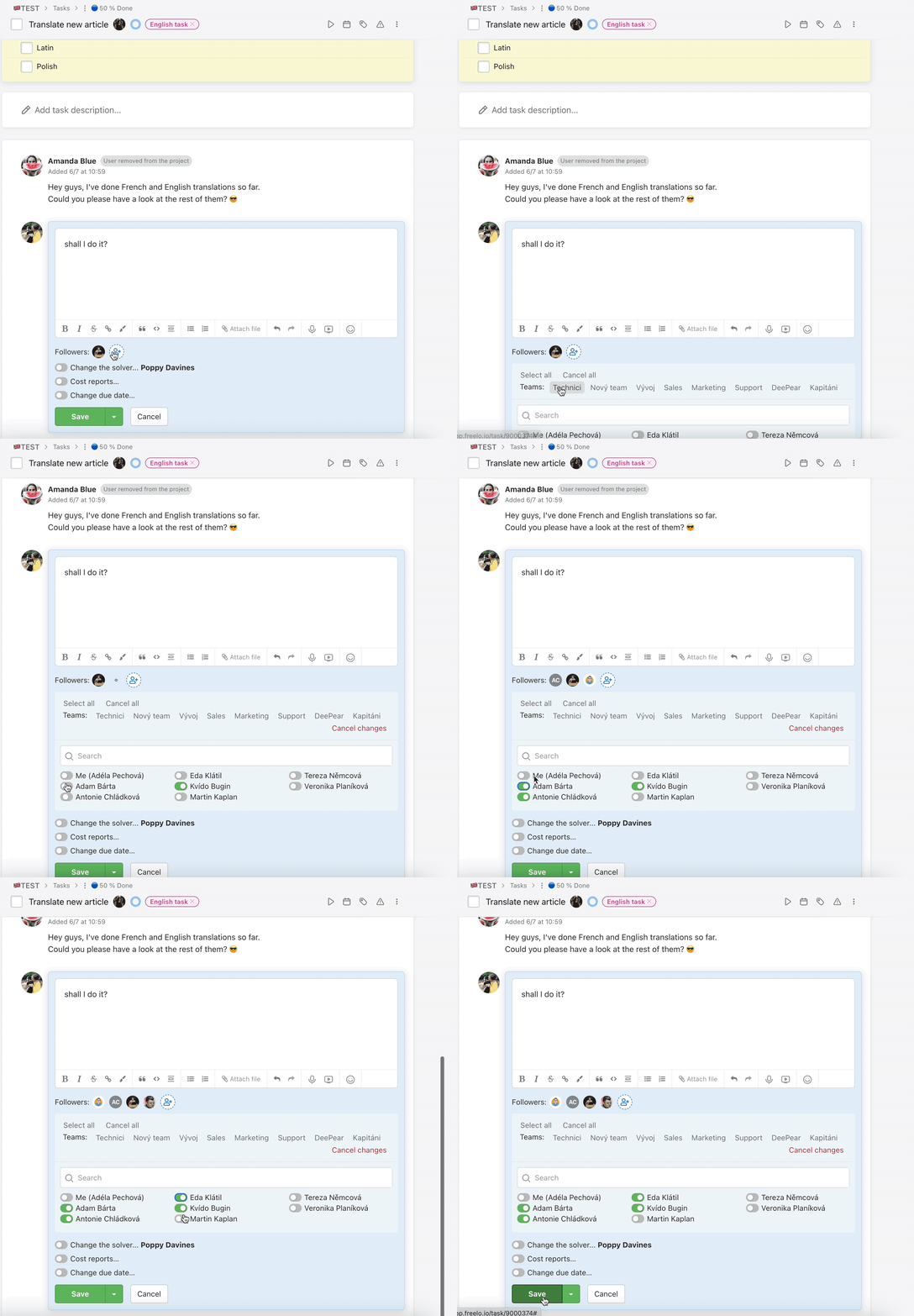
Go to sub/task detail and scroll down, below the comment form. There is a section called Followers. You see current users, who get notifications about task changes.
Click the person icon (Add/Remove followers…) and there you can add or remove users from following. Every user can change followers. Check or uncheck the boxes and confirm your changes via the Save button. This can be changed without adding a new comment.
Mentions
Another way is useful for one time notifications. Do you want to get an opinion or just notify someone else about the status?
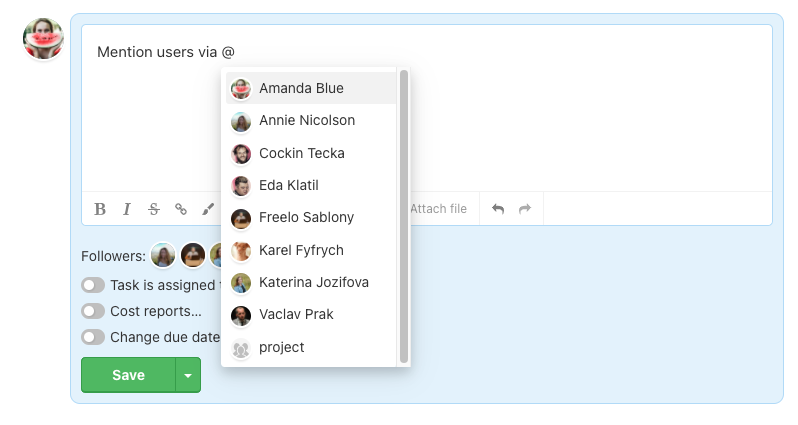
We would recommend using mentions. Type a comment and mention someone else via @UserName or mention the whole project via @project. These users get one time notification. They do not become task followers.