Forget about to-do lists that you get lost in. In Freelo, you break your work down into columns: To Do, In Progress, Done. You drag the task cards with your mouse, see avatars, deadlines and labels. You can understand the status of a project in three seconds.
 September 3
 September 8
 Today
Today
 September 5
 September 6
 August 28
 August 30
The team has grown, the projects have increased, and you spend your day just wondering how the tasks are going. Kanban cards with avatars tell you who has what to do.
No one knows if Honza is handling the client request or not. The columns Do → In process → Done make the responsibility visible. The tab doesn't go anywhere, so neither does the task.
Reporting back to the client on how you are doing means clicking through 30 tasks. In Kanban view , one glance and you know what's done, what's being addressed, where it stands.

”Kanban is just one way to view your tasks. You can view your task cards at any time as Rows, a Table, a Timeline, a Calendar, or a Mind Map. Switch between views with a single click.”

Client orders overlap, the content calendar swells, someone forgot to proofread. Tabs on Kanban show what's done for client A, what's being written for client B, and where the proofreading for client C is stuck.

Three jobs, two subcontractors, one customer who calls every hour. Kanban shows you the status of each job in columns - where the material is waiting, where it's being built, and where it's being handed over. A paper board in the office becomes a mobile board that the crew always has on hand.

Repeated client processes pile up: returns, contracts, filings. The columns Received → Process → For review → Sent keep track of whether you have 5 clients or 50. No wheel in the head of who has what distributed and by when to turn it in.
The default settings Do → In Process → Done override in a few seconds. Don't need some columns? Delete them. Want custom columns Idea → Approve → Execute → Proofread → Done? Go ahead. Kanban adapts to you, not you to it.
Try Freelo for free
March 12
 Content
Graphics
March 5
Content
Graphics
March 5
It's a job, it's a card. That way you can see right away who is responsible for it, when it's due and what priority it has. By filtering by user, label or deadline , you can narrow your overview to what you're currently working on.
Try Freelo for free
Marketing
Tomorrow
May 22
Marketing
May 28
May 12
Click on a card, hold and drag it from one column to another (classic Drag and Drop). No dialogs, no drop down menus, no forms. Works the same on a computer as it does on the mobile app - there, a swipe is all it takes.
Try Freelo for free
May 22
May 26
May 28
Tomorrow
May 12
May 16
You can view the same tasks as rows, a table, a timeline, a calendar, or a mind map. The cards remain the same; only the perspective changes. You don’t have to choose between Kanban and Timeline— you have both and can use whichever one suits your needs at the moment.
See all features
May 12
May 15
May 20
Graphics
May 5
May 12
May 15
May 20
May 5
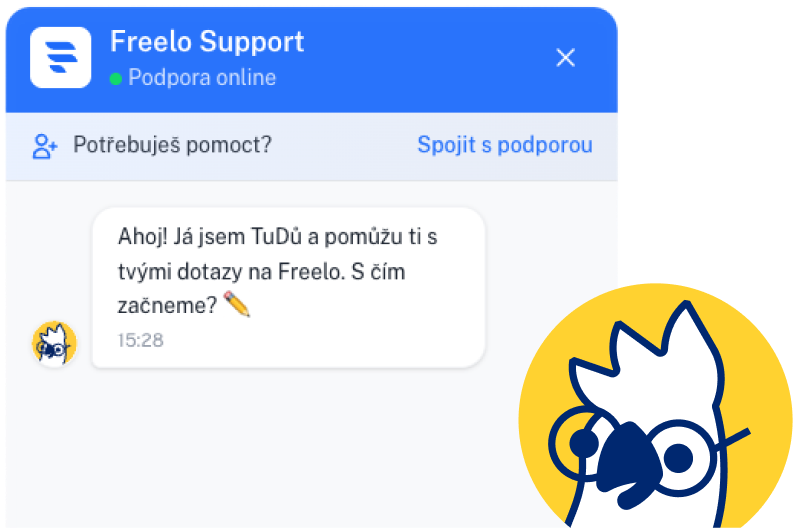
Do you know how to set up Kanban? Kanban is waiting for you in Freelo Assistant TuDu. Write to him and he will help you.
Click on the yellow chat bubble in the bottom right. What a ride!

ToDoo writes...
 ”How do I turn on Kanban?”
”How do I add a column?”
”How do I move the card?”
”How do I turn on Kanban?”
”How do I add a column?”
”How do I move the card?”
Kanban is a method of visual work management. It originated in the 1950s at Toyota, where it was used to manage production. Today it is used by software, marketing and operations teams around the world.
The main idea is simple: tasks are not in a list, but in columns that show the status of the work. The team can see where each task stands and what needs to happen next.

The classic Kanban board has three basic columns:
Each task is a Kanban card - it contains the name, description, responsible person, deadline and other information. When work starts on a task, the card moves one column to the right. When it is finished, it goes to the last column.
May 22
May 26
May 28
May 12
Today
Both methods come from the agile world, but they work differently.
💡 Kanban is perfect for a variety of requirements such as client service, marketing or helpdesk.
Answers to the most common questions from new Freelo users who are getting familiar with Kanban display.
Kanban is a method of visual work management where tasks travel between columns according to status - typically To Do, In Process, Done. It originated at Toyota and is now used by software and mainstream corporate teams. In Freelo, you can see Kanban in every project with one click.
Create a project, add the first tasks and switch the view to Kanban in the project. You can override the default To Do, In Process and Done columns to your own. Detailed instructions can be found in our help.
Scrum works in fixed sprints (typically 2 weeks), Kanban is continuous - tasks come and go continuously. Scrum fits a stable team with a rhythm of releases, Kanban is more versatile for diverse requirements.
Yes, with just one click. Kanban is one of the five views in Freelo—you can view the same tasks as Rows, a Table, a Timeline, or a Mind Map.
Kanban is included with every Freelo plan, including a 14-day free trial. No extra charge, no add-on.
Yes. Freelo has native apps for both iOS and Android. You move tabs between columns with a swipe of your finger, just like on the desktop.
Pište na jan.hybl@freelo.io nebo volejte +420 774 414 497 (Mon-Fri, 9am-5pm).
Book an appointment online
 START WITHOUT COMMITMENT
14 days free, without entering your card. If it doesn't fit, nothing happens - your account will cancel itself. If it fits, you stay on board.
Want to see what it looks like first? Book an online demonstration - 30 minutes, free, with a live person.