No more chaos in emails and spreadsheets. With Freelo, you get an overview of tasks, deadlines and communication in one place.
Explore Freelo with no credit card and no obligations
 In the process
June 23
In the process
June 23
 Moodboard.jpg

 All you need is a web browser
Start using Freelo right away, without installation
All you need is a web browser
Start using Freelo right away, without installation
 Really easy for everyone
thanks to its simplicity, Freelo will quickly become popular with everyone
Really easy for everyone
thanks to its simplicity, Freelo will quickly become popular with everyone
 Tasks, files, deadlines
everything in one place, clearly and simply
Tasks, files, deadlines
everything in one place, clearly and simply








The files are flying around by email, everyone has a different version and no one knows which is the current one. You're looking through attachments and wasting time.
Assignments are given orally or by email. No one knows exactly who is responsible for what, and things don't get done.
Information is lost in email copies. Half of the colleagues get it late, the other half not at all. One place for communication is missing.
We asked the General-Secretary Mgr. Zdeněk Opálka, which activities at their office they needed to do more effectively and how Freelo helps them in that today.
Tasking was done by email, then transcribed into a One Drive spreadsheet with deadlines.
Complex inputMissing feedback from officials on spreadsheet tasks.
Unclear communicationThe meetings were unconstructive and long . We did not have a system to easily negotiate in advance.
Absence of a simple systemThe tasks were solved together at meetings - the solution was deadlocked and the deadlines slid. Unable to verify who did what .
It is not known who is solving the taskProblematic communication across unions - 5 people in email copy and everyone is waiting to see who will respond and address.
Unclear responsibilities and deadlines”Freelo saves us time in meetings. Colleagues from different departments write up tasks in a pre-prepared list, respond to them, prepare and deliver supporting documents. The meeting itself is then very constructive.”
”Thanks to the mobile app , we can reach out to citizens on the street and have everything we need at hand for notes that come in handy later when arranging what, how, who and by when.”
”We have seen a lot of improvement in cooperation between the unions. Everyone is clear who is responsible for what and the whole team can see everything important.”
”We've made scheduling better, minimized emails, and delegation is just a few clicks away.”
”Freelo helps us keep the council and board meeting materials in order. Everything is on time and easy to find. It's like an intranet for us, but one that any member of the authority can operate and manage.”
”Thanks to repetitive tasks , we don't forget about recurring activities such as announcing training, submitting applications or updating the bulletin board.”
”Another very popular feature is process templates, which we are just starting to use. But I already know that they will be useful, for example, for organizing elections, where overhead activities are repeated over and over again, or for training a new colleague, public holidays and necessary routine matters such as flying the flag, and I can still think of revisions of internal directives and organizational rules.”
”In short, Freelo is a modern online communication tool that simplifies our official agenda and I am happy to recommend it for your office.”

Secretary, Office of the Municipal District of Brno-Cernovice

It has a lot of useful features to help you organize your work. Let's take a look at some usage examples together.
For the meetings, you create a project with the individual meetings and the points you want to discuss. The main advantage is the involvement of all colleagues, who can already see in advance what will be discussed and can prepare themselves.
Try Freelo for free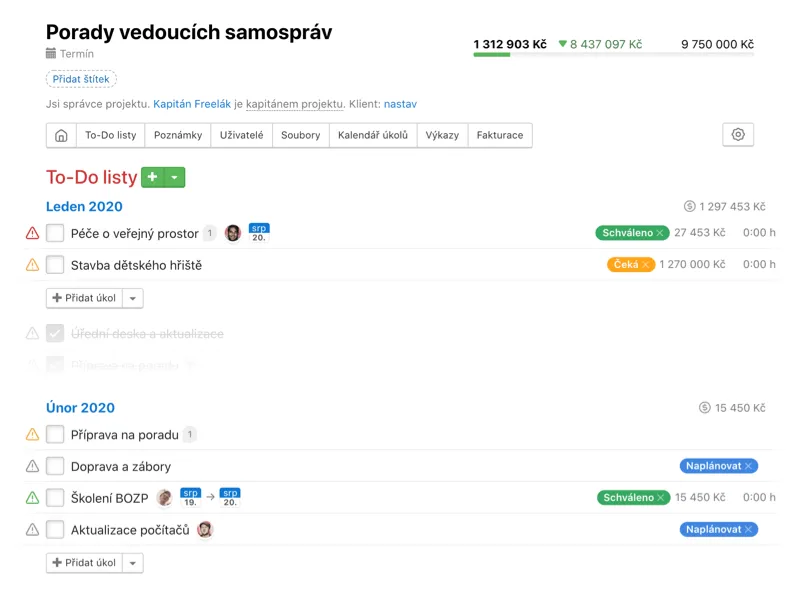
Each project may have notes to help you organize the information. Notes are smart. You can have a discussion under them and keep a complete history of all edits with the ability to restore any version.
Try Freelo for free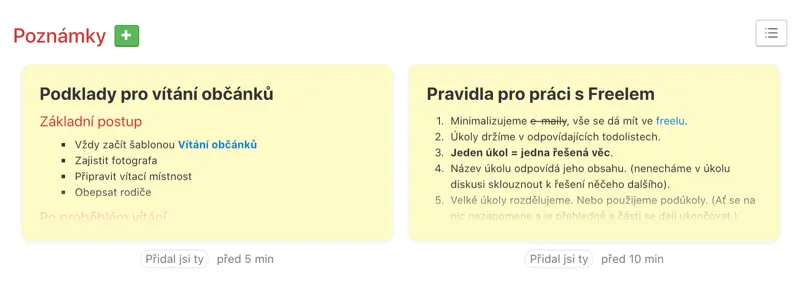
Discussions are the heart of Freelo. This is where the most important thing happens - the transfer of information and files over tasks. You can use @mentions, assign tasks, set deadlines and much more.
Try Freelo for free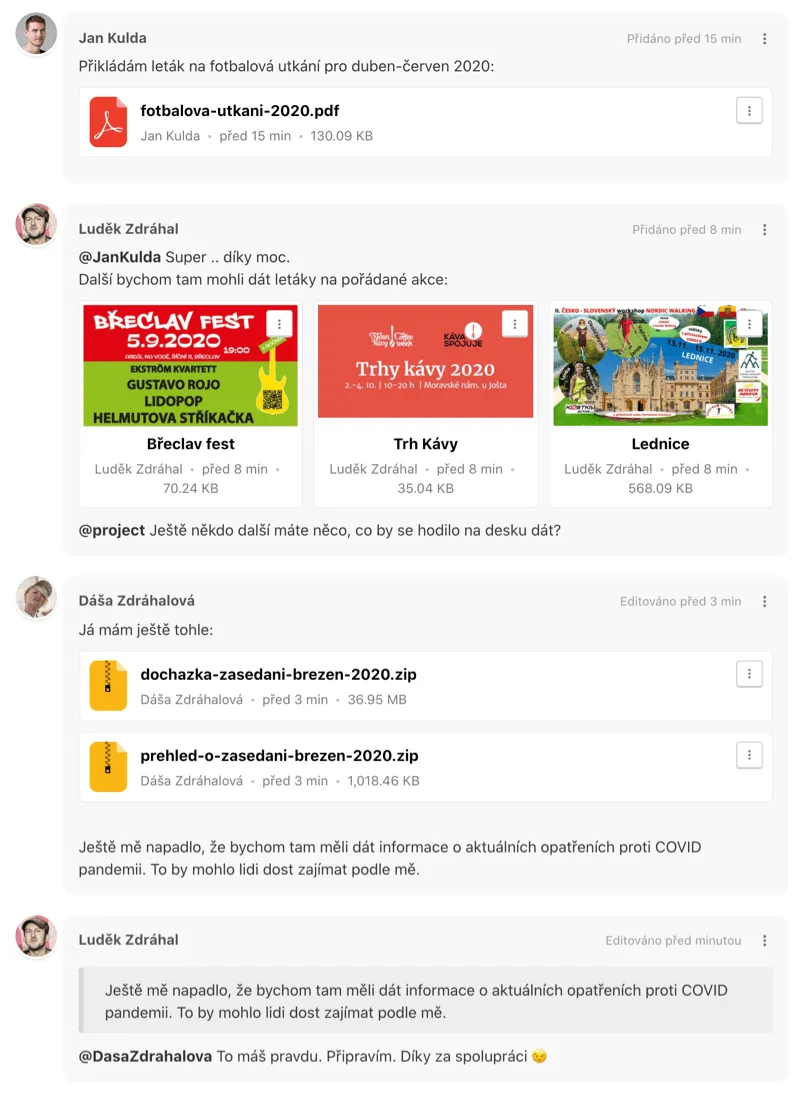
All files are added to the discussions in the tasks and later you can find them under the Files tab in the project. No more searching through email attachments.
Try Freelo for free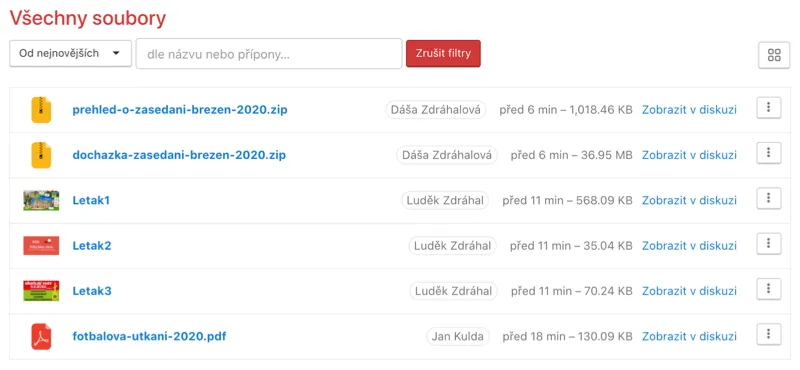
Freelo will intelligently alert you to tasks that are related to you. For example, ones you've created or commented on in the past. No one will miss anything.
Try Freelo for free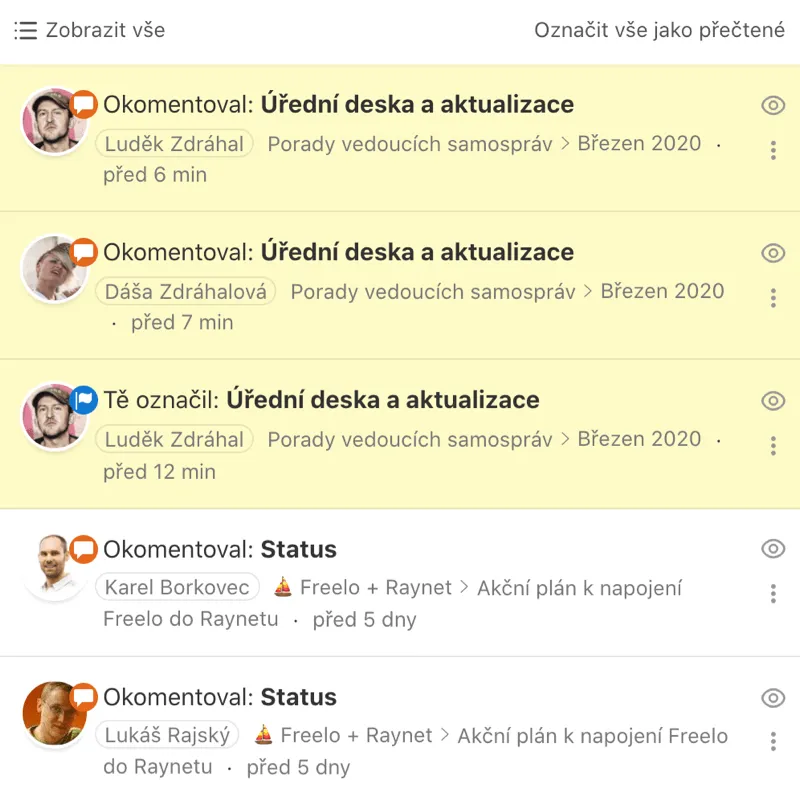

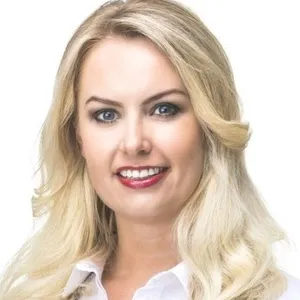
Mayor of Pardubice
”With Freelo, we have improved our processes so that meeting minutes are now clear, in one place and approved 4 times faster. All 40 users praise the transition from email and Microsoft 365 tools.”
Mayor of Ostrava-Poruba
”Freelo is clear, understandable and intuitive. It is a great tool for communication and collaboration between colleagues, all information, tasks and deadlines for projects are in one place and not lost in time.”

Chairman of the Executive Committee of Destination Brno
”As an election campaign manager, I need to keep track of dozens of tasks at the same time, delegate their implementation among many people, and keep track of deadlines. Connecting those who need to be connected, reminding them what we've planned where. I can't imagine any other effective way to manage teams today. What I appreciate about Freelo is the simplicity.”
Secretary, Office of the Municipal District of Brno-Cernovice

Property management technician, City of Zbiroh
”Freelo is great for assigning, recording and completing tasks in a team. It is user-friendly, clear and easy to use. I also appreciate the synchronization with the mobile app, Google calendar and email notifications. Everyone can add comments, photos and files and also have an instant overview of changes. I can definitely recommend it.”
Freelo can be set up in no time. You create a project, add To-Do sheets with tasks and invite colleagues. We'll be happy to help you onboard if you need it.
Yes, Freelo is GDPR compliant and the data is stored on servers in the EU. Communication is encrypted and access can be set by role. Dozens of cities and authorities in the Czech Republic use Freelo.
You have 14 days free with all features. You don't enter your card, nothing is swiped. After the trial period, you can upgrade to a paid plan or stay on the Free plan.
Yes, repetitive tasks are one of the most popular functions in offices. You set them up once and Freelo automatically creates them at regular intervals. Ideal for updating a bulletin board, processing reports, preparing elections or reviewing directives.
Contact me on info@freelo.io
or call +420 774 414 497.
Mac, Windows, iPhone, iPad, Android and web. Freelo is ready when and where you need it.