
The Business plan gives you access to all Freelo features without limits - custom fields, user management, and security features like two-factor authentication or company domain verification. You pay per number of licences - smaller teams can buy individual licences up to 20, larger teams buy in packs of 5, and the price per user decreases as your team grows. In this article you'll find how the plan works and how to choose the right number of licences for your team.
For your clients, freelancers or suppliers you can use the info@freelo.io.
How do the payments for Business plan work
The plan includes unlimited projects, 200 GB of storage, Company Captain and Project Manager and Admin roles, so everything doesn't rest on the captain alone.
My team has over 20 people
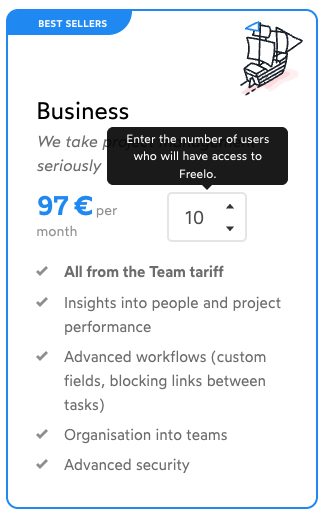
If you need a plan for more than 20 people, you can purchase in packs of 5 licences (25, 30, etc.). The price per user decreases as your team grows.
You can calculate in euros on the pricing page.
My team has less than 20 people
Got a smaller team? We've got you covered! You can purchase the Business plan one licence at a time - 1, 2, 3, etc., up to 20. Just go to Change plan, select Business and lower the number of licences using the down arrow.
Practical use
- Smaller teams up to 20 people - buy exactly as many licences as you need and don't pay for unused seats.
- Growing companies - with each additional pack of 5 licences the price per user drops, so the more of you there are, the better value each seat becomes.
- Collaboration with freelancers and clients - the Guest role lets you invite up to 100 external collaborators for free as part of the plan, without them needing a full licence.
- Companies with security requirements - company domain verification and enforced two-factor authentication ensure only your people can access Freelo.